New Vision is a retexturing mod for Deus Ex, which replaces the majority of the original textures with high resolution counterparts. The original mod was the culmination of 5 years of work between 2007 and 2012.
Version 1.5
This is the original release that replaces around 80% of the 2000+ environment textures with hand-created, upscaled versions with a distinct grungy visual look. There are also several typos, missing textures, and an amusing billboard.
Download Here
I recommend downloading the latest versions of Kentie's Launcher and Renderer
Kentie's Launcher | Kentie's Direct3D 10 Renderer
Version 2.0a
This was a weekend project experimenting with AI Upscaling back in early 2019. As a result it's an interesting proof of concept, but AI Upscaling was still in relative infancy (I didn't even realise other people were using it to upscale game content) and is far from ideal. Better results can be achieved with more recent models.
Download Here
Elsewhere
New Vision has been included in these other projects
Deus Ex Revision | GMDX | Deus Ex Nihilum
Project HDTP compliments New Vision with updated characters, props, and weapons
Credits
Dave Watts - Lead Texture Artist
David Guttridge - Additional Textures
Thijs Hagens - Additional Textures
Helder Pinto - Additional Textures
Marijn Kentie - Direct3D 10 Renderer / Game Launcher
Chris Dohnal - OpenGL Renderer
Hanfling - Game Launcher
Björn Ehrby - Installer
Georg Fritzsche - Installer
FAQ
Can I use the textures in my Deus Ex mod?
Yes, you can use the New Vision textures however you want, including extracting & modifying them from the UTX files. Just credit the New Vision mod somewhere.
Can I use the textures in (some other project)?
Strictly speaking I have no problem with this, but being based on copyrighted material even if they don't share pixels, I'd be pretty careful how you use them outside of a Deus Ex mod.
Will New Vision 2.0a work with another renderer?
No, New Vision 2.0a relies on the texture hotloading feature Kentie developed in his Direct3D 10 Renderer. It is absolutely possible to use the 'correct' S3TC Compression method used for New Vision 1.5, but I have no plans to do this.
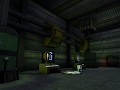
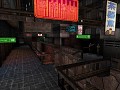
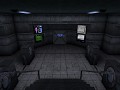
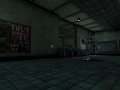
Articles
Deus Ex - New Vision 2.0a
This is a test / alpha / slightly unpolished release of New Vision 2.0, which is an experiment using AI up-scaling techniques on the Deus Ex textures. This is significantly different from earlier New Vision releases with more modest visual improvements, but is much better suited to those who prefer the original art style and want as close to the 'classic' look and feel as possible.
You can view some before/after comparisons here:
This is not a direct replacement for New Vision 1.5 which will remain available to download; this is more of a companion release.
Deus Ex - New Vision Version 1.5
News 36 commentsThe final release of New Vision for Deus Ex is here - download it now!
New Vision Version 1.0 Released
News 79 commentsThe first full release of the New Vision mod for Deus Ex!
New Media
News 10 commentsA glimpse at the work that's been happening since the 2009 release, and a brief reminder that the mod's going to be released "soon enough".
Deus Ex - New Vision Public Beta
News 10 commentsThe release of the public beta version of the mod New Vision - replacing the majority of textures in Deus Ex with high resolution counterparts.
Files
New Vision 1.5
Full Version 54 commentsFinal release of the New Vision texture project with installer and updated renderers.
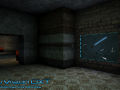
New Vision DXT Lite 1.0
Full VersionNew Vision DXT Lite can be used on servers that don't even have new vision but will lose HD Animations
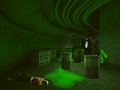
New Vision 2.0a
Demo 24 commentsThis is a test release of New Vision 2.0; this version of New Vision uses AI Upscaling (specifically, Topaz AI Gigapixel) to increase the resolution of...
Post a comment
Profile

X
Tags
Embed Buttons
Link to New Vision by selecting a button and using the embed code provided more...





This by far is the Ultimate/Best mod for Deus Ex. (New Vision 1.5)
Pure 1-1 graphics Only upgrade.
The original gameplay remains untouched as much as i can see.
I just wanna say a HUGE THANK YOU and ...is it possible to have a new version of this mod (more graphical details)
I can just imagine this game using latest tech
Anyone know how to get this to work properly with Transcended?
you need two factors to make this mod work a capable renderer aka opengl or d3d9 or d3d10 renderer and you need to add or switch S3TC=True otherwise the textures wont show up
Hi, I have New Vision 1.5 installed and I am having weird stutters. I notice the stutters happen on D3d 10 Renderer. OpenGL has no stutters but looks worse.
Also on both renderers, there is this weird rainbow/shadow moving on walls, especially in the Underground tavern.
My specs: 2080 Ti, 9900k, 16gb RAM, Win 10 pro, Geforce 466.63 driver
This comment is currently awaiting admin approval, join now to view.
This comment is currently awaiting admin approval, join now to view.
Anybody installing this mod,
I have installed this both after installing kentie's launcher manually, and on a fresh install, and I didn't see any noticable difference in visual quality.
After 33 hours of playtime, I accidentally discovered I needed to click on Data Directories in launcher and select New Vision.
I didn't see that info anywhere and the installer didn't select it, so make sure to select it if you don't see any difference.
Time to load old saves and play again I guess.
This comment is currently awaiting admin approval, join now to view.
noob question,, first will it work with gog version and second , because this is a mod , after the install will the game support a wide screen and 1080p or is that something else i have to install separately and find ?
thx
I love how this mod looks but it makes my game lag so much on my 2010 laptop with Intel Integrated Graphics.
I expected my laptop to handle it like a champ because it's still on Unreal Engine 1 and it can usually handle high-res textures.
well a lot of it looks good...but with extra sniper at liberty island and a huge # of light posts your exposed for a take down and wow they removed he big mechs it was a wild experience to go up the ladder to have to be wary of the big mech above plus dogs and troops about. paris..
This is gorgeous and captures the original nicely while still feeling cleaner, but it (2.a specifically) is slow and weirdly laggy even on what I'd expect to be a quite sufficient rig (rtx 2060, ryzen 5 3600, plenty of space and ram. It's super weird?)
So right now I'm trying to parse how to compile the high res files to maybe make it work but I'm lost.
Any plans to package this as a more use-friendly mod?
2.0 uses a lazier method to load the textures, which is far less efficient than the original packing method and only works with the DX10 renderer. It's much faster to work on though, and since 2.0 was a weekend project, that's why.
It would be possible for someone to pack it the proper way - the basic instructions are in the SDK, check the New Vision files here on ModDB - but I don't have the time to do it.
Plus there are better ways of upscaling the textures now that anyone doing it probably wouldn't use these textures anyway
I have trouble following the guide in the SDK, could you please give us some tips how to do this?
Without more modern texture streaming methods, Unreal Engine 1 can't really scale to 2010 integrated graphics with limited VRAM.
Good point.
Then again, Duke Nukem Forever has the same system requirements as Crysis despite also being an Unreal Engine 1 game. In 2011!
It was originally based on Unreal Engine 1, but it was so heavily modified by release (rendering, animation, etc.) that it's not really comparable to the version Unreal uses.