
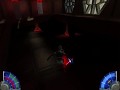
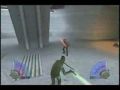
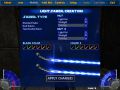
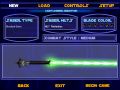
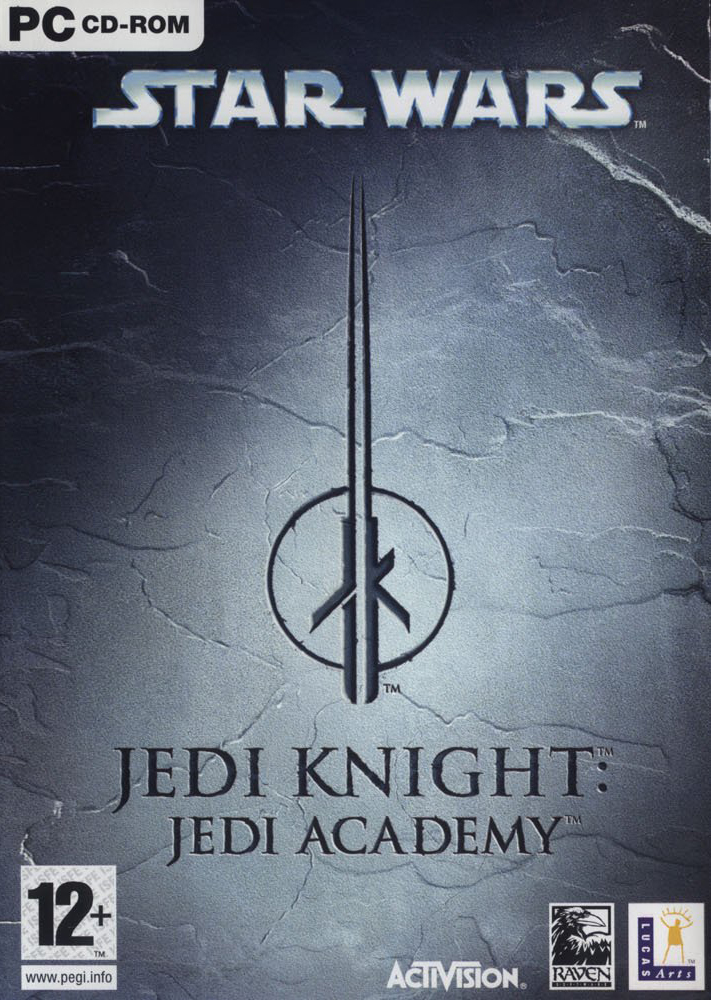
A spin-off of Jedi Knight II: Jedi Outcast, Jedi Academy allows players to create their own Jedi, train in the Academy under the tutelage of Luke Skywalker and Kyle Katarn and ultimately choose to follow the path of the Light Side or the Dark Side of the Force. The game is powered by the same version of the Quake III engine used in its predecessor, Jedi Outcast, containing modifications to the Quake code to give a third-person view and new lightsaber effects (Jedi Knight II had these 3rd person effects as well). Players have the ability to construct their own lightsaber by choosing the hilt style and blade color. After completing certain objectives, new saber styles become available.
Changes From Jedi Outcast to Jedi Academy
- Your character, Jaden, can be male or female and is customizable. For example, you can choose from several lightsaber colors and hilt types as well as from several species:
- Twi'lek female
- Kel Dor male
- Human male or female
- Zabrak female
- Rodian male
- New Force Powers in single player; Force Absorb, Force Protect, Force Drain, and Force Rage (these powers were available in Jedi Outcast's multiplayer game, but not in the single player game.)
- New lightsaber combat moves including katas, wall gripping, and acrobatics.
- Four new weapons: DL-44 Blaster Pistol and Stouker Concussion Rifle, Saberstaff (double bladed lightsaber) and dual sabers. A variety of saber hilts are also available.
- New vehicles and vehicle-based levels, including Tauntauns and speeder bikes.
- Power Duel mode: Players join as an individual or as a team of two. The individual has more health and Force power in exchange for being at a disadvantage in numbers.
- Siege Mode: Players work to complete goals and stop the other team from completing their goals.
- AI NPCs (not just bots, as before) in Multiplayer.
- Decreased limitations on world objects in Multiplayer, enhancing modding possibilities (and making coop play theoretically possible).
- Various bugfixes, gameplay tweaks and subtle changes (especially to the Multiplayer component).
- Enhanced rendering of the Quake III: Team Arena engine, including dynamic glow features.
- Removal of the First Person Lightsaber view that can be found in both Jedi Knight and Jedi Outcast.


Related Articles
Twenty Years of Movie Battles 2
Twenty years ago today, RenegadeOfPhunk released the first build (B14) of Movie Battles 2. Last year on the twentieth anniversary of the original Movie Battles release for Jedi Outcast, we ran through a brief history of Movie Battles as well as a look into our first open mode class upgrade in years. This year we will be focusing on what is coming in the near future as well as things we plan on delivering over the course of the next year. Our focus this year is to deliver some of the largest sets of new abilities & weapons, revamps to existing ones, and overall class updates than we have ever delivered before.
Back-end Refactoring
Since 2019 we have been slowly working on refactoring many of the back-end systems in MB2 to make things easier for us to expand and create new content. We started with things like reworking the class back-end structure to allow us to more easily create new classes or modify existing ones. This year is no different, with some of the largest back-end reworks taking place. Below are just a few examples of the refactoring tasks coming in future patches sometime this year.
The Great Weapon Split
In 2020-2021 we completely reworked our backend weapon system to go from 19 weapon slots to over 200 and initially separated grenades out into their own weapons instead of being overwrites based on what class you were running. Now, we have completed the migration of every weapon in MB2 into their own slots and even restored original BaseJKA weapons to full functionality for use in modes like FA. No longer will pulled weapons morph when you pick them up. Weapons such as the DLT-20a, A-280, and M5 are no longer heavily tied together and can have multiple values for balance more independently and easily modified than ever before. Faster balance iteration is also a plus.
In the end we have gone from 19 weapons with class-specific limits, to currently 41 independent weapons with more being added in the coming weeks and months.
Resource System
Our resource system (FP, BP, Fuel, Stamina, Battery, etc.) has been reworked and heavily simplified internally. The biggest change end users will see is the handling of Force Points. These now constantly regenerate, even when using active force powers. Force powers like Speed now have higher constant drains to compensate, but no longer pauses regeneration. BP is now separated from Fuel/Stamina/Battery/Energy/Fury.
Class Special / Keybind Rework
Our class special system has been entirely reworked to allow classes to have more class special abilities without using the old limited "Alternate Ability" commands. Now instead of alternate ability commands that caused class specials to change binds based on what was equipped the new system allows each class to have up to four class special abilities instead of the previous two. In addition everyone now has a dedicated universal "Melee" keybind. So be sure to check and update your keybinds when this releases!
Legends & Custom Point Builds
With an upcoming release we will be reviving an old work in progress feature we never completed: Custom Point Builds. Custom point builds allow authors of levels and custom legends teams to create setups for each class to have their own custom point builds, similar to open mode. Allowing users to no longer be restricted to a specific build per class choice, but allowing them a much wider range of choices similar to open mode. The next update of Legends will feature massive sweeping changes to the existing set of classes as a result of that addition and other things we are adding.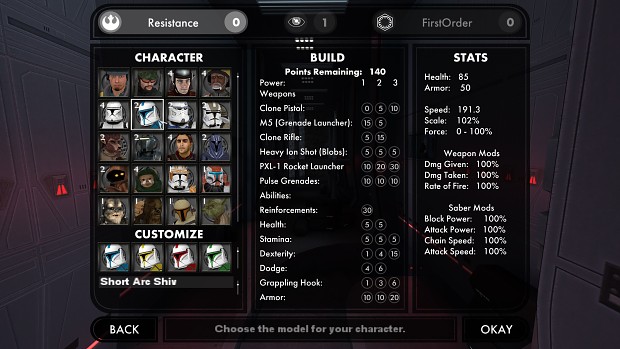
Humanoid Revamp
For the past few years DT has been working on building our Humanoid Revamp. This revamp standardizes how animations are made, added, and used within MB2. In addition many animations have been updated or entire new ones created for both existing and future features. One way we have made it easier is that weapons now have "Animsets" which allow us to specify groups of animations for certain weapons or types of weapons. Which means when we add a new weapon or one is used in FA, it can use a specific animation set rather than having to go through adding cases across code manually for each specific animation or use case.
We will be showcasing some of the new animations in later dev diaries detailing new abilities, weapons, etc.
Future Class Updates
This year will be our largest year ever in terms of class updates. Over half of the classes in the game are scheduled to receive at least one item/upgrade/weapon some time this year, with some of those classes receiving major updates or changes. Huge shake-ups are about to happen. Many of the abilities are not quite ready to be shown, however today we will be teasing you with some of them.
First up to bat is Jedi. As part of the saber update we have been working on the rework for this class's force powers and general ability set. Most if not all of the abilities for the class are receiving a pass of some sort to refine or add to the class. With the goal of giving players more options, as well as the ability to specify what you want out of the class more than before. This includes making "Force Whore" a fully featured part of the class's design.
Now, as we are only giving you some teasers today, here is a look at the buy menu for the class. Please note though that point values are placeholders and not final values.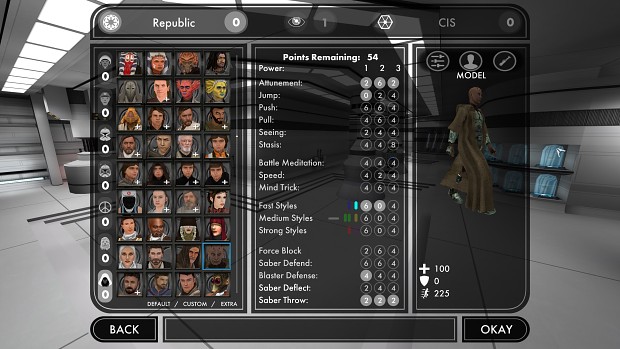
CR-2 Heavy Blaster Pistol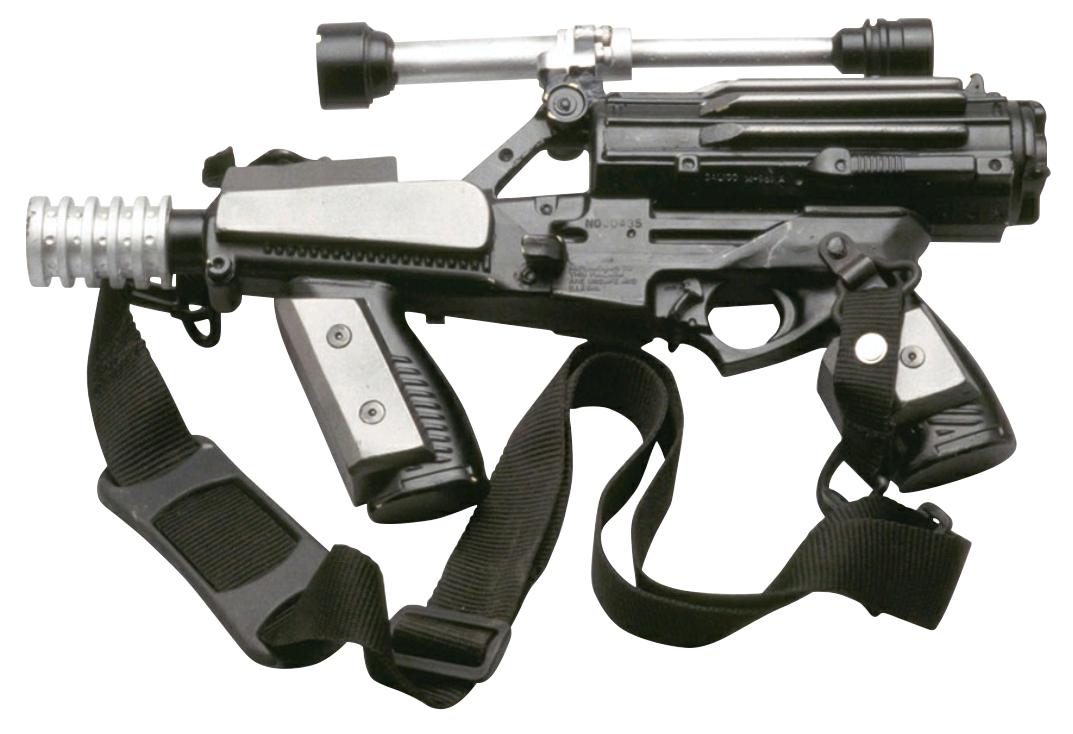
Jedi is far from the only class receiving an update. Next up is the reveal of a new weapon for Troopers (Rebel Soldier): the CR-2. CR-2 is a weapon seen being used by the Naboo Security forces featuring its unique green blaster bolts, a high fire rate, a modified versions of old EE-3s shot bloom mechanic, and a design focused around close-range "hip firing".
DC-15A Blaster Carbine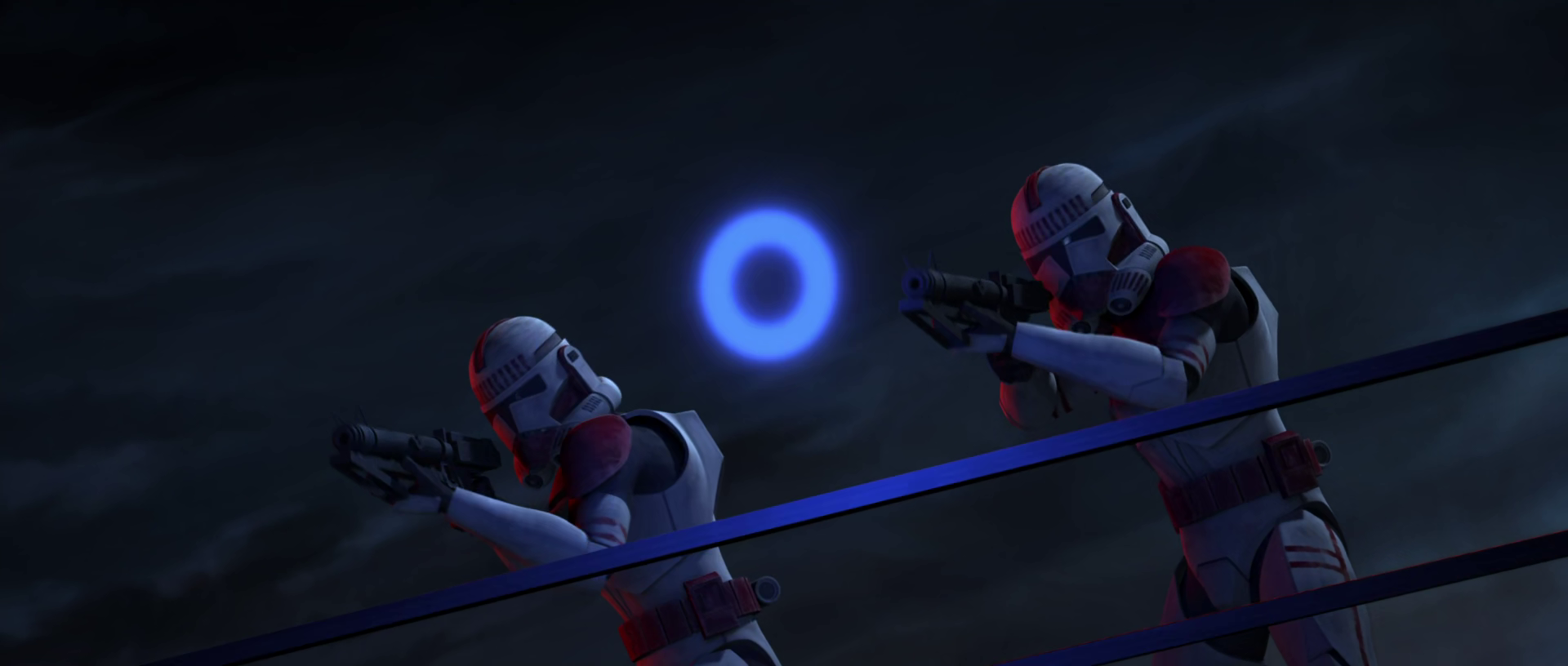
The DC-15A Blaster Carbine is a staple of the Clone Trooper that we will be finally adding into MB2. Canonically it functions similarly to an E-11, and that is not much different here. However, it will feature many stat variations to differentiate the two as well as a brand new stun mechanic, as well as the ability to use it in tandem with the previously revealed M3 Bulwark Blast Shield, with reduced accuracy of course.
Model & Map Updates
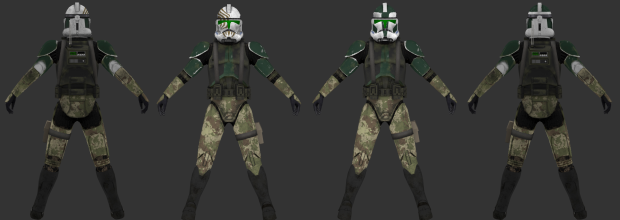
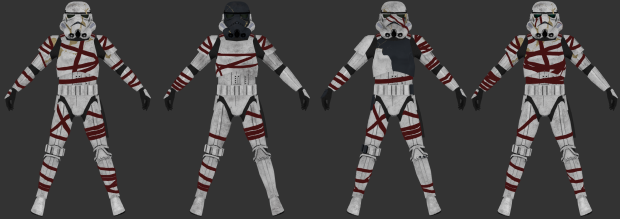
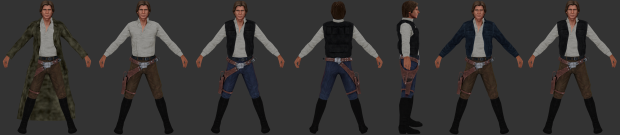
Our modelers have been absolute machines over the past few months. We have a whole slew of player models and skins coming in a patch later today, but we want to highlight a few here to show case some of their hard work. However, they haven't stopped there and we have a group of new models to showcase as well.
Commander Gree & Nemec
 Ahsoka Series Nighttrooper
Han Solo Upgrade
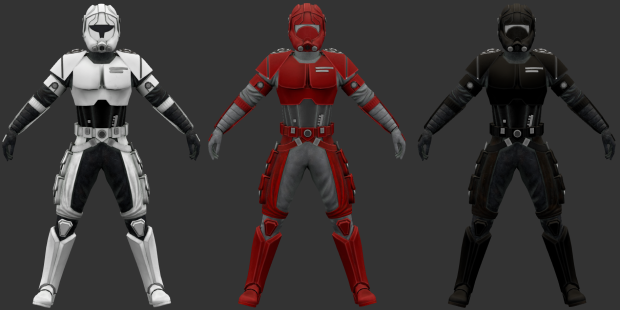
Shadows of the Empire Trooper
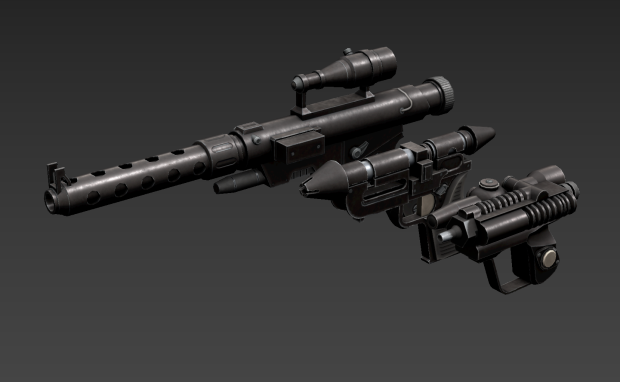
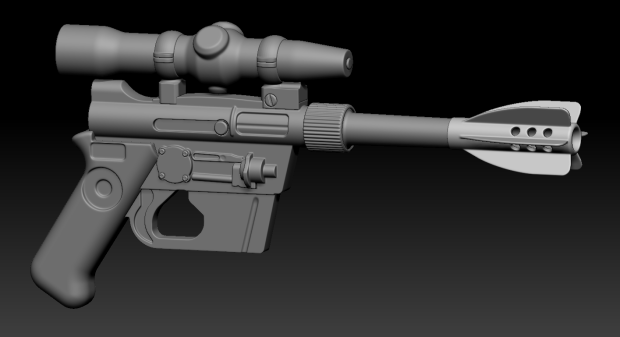
Droid pistol RG-4D, Imperial Officer RK-3, Scout Blaster EC-17
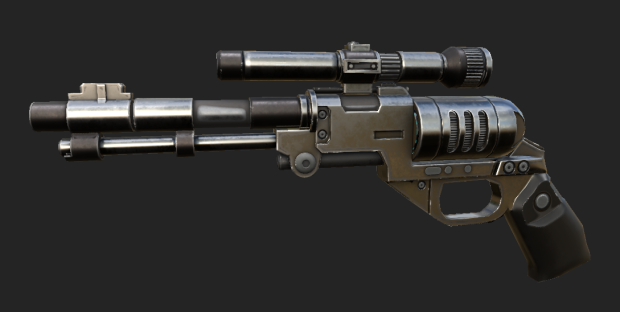
DE-10
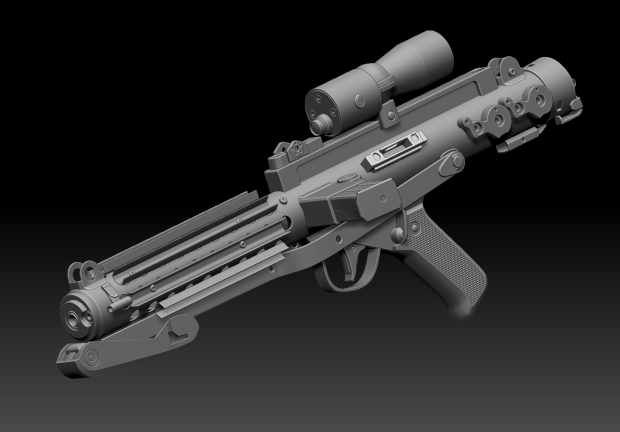
E-11 Upgrade Highpoly
DL-21 Highpoly
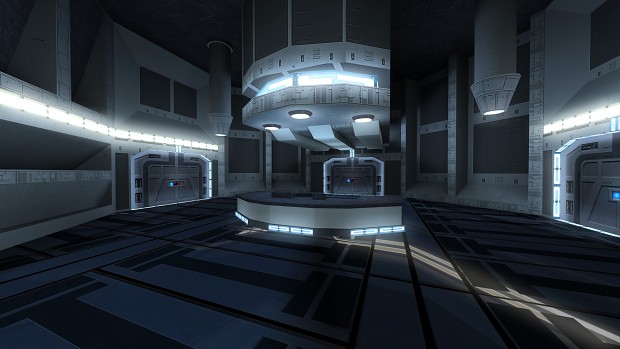
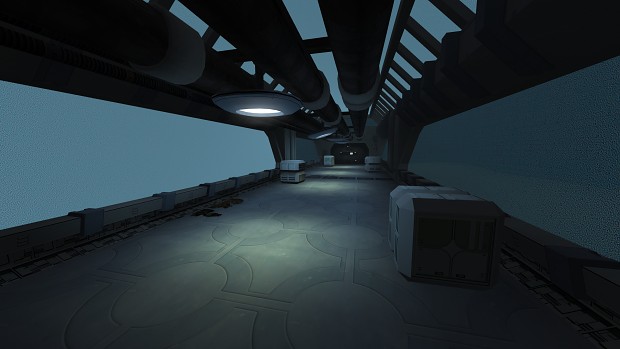
Our newest team mapper Bob Billy has been slaving away on two new maps as well. Our first full open mode Taris map: Sith Base, and a new Manaan map: Hrakert Station. In the future he will be detailing more about these two maps but for now here is a quick teaser!
Patch Day
With today being such a special day, we wanted to not only give players a look into what we are working on, but also some new content to play with. Later today we will be launching the latest v1.10.1 patch for everyone.
This is a small patch that focuses mainly on cosmetic upgrades and a few bugfixes. Modelers have been working overtime!
General Future Plans
This year, with most of the backend reworks done, we hope to deliver patches at a faster rate than last year. Many of the changes taking place for the next major patch should help us do just that, while at the same time adding a lot of content for everyone. We also hope to deliver the first new class in the mod in over 15 years. However, you're going to have to wait a bit longer for the reveal on that one.
Showcase Build - Update 1.0 Including Combat Update 3.0 & Liberation Mode DLC - Review
The Clone Wars Recreated Total Conversion (v1.0) 3 commentsRevolutionary Engine Update, Showcase Build Update 1.0 inc. Combat Update 3.0, Open Letter and many more new Annoucements! Details in the Article.

Progress Report: March 2024
Star Wars: Galactic Legacy 10 commentsAn overall status of the mod's development during the month of March 2024.
Showcase Build - Patch 0.3 Is Out
The Clone Wars Recreated Total Conversion (v1.0)New Showcase Build Patch has arrived, removing numerous bugs reported by Community and YT Creators.
The Clone Wars Recreated - Showcase Version - Patch 0.2
The Clone Wars Recreated Total Conversion (v1.0)Just before the release of Massive Update 1.0 and Combat Update 3.0 with new gameplay and engine improvements (Including the Showcase build) - Patch 0.2...
Related Files
Showcase Build - Patch 0.3
The Clone Wars Recreated Total Conversion (v1.0) PatchNew Showcase Build Patch has arrived, removing numerous bugs reported by Community and YT Creators.
Showcase Build - Patch 0.2
The Clone Wars Recreated Total Conversion (v1.0) Patch 1 commentJust before the release of Massive Update 1.0 and Combat Update 3.0 with new gameplay and engine improvements (Including the Showcase build) - Patch 0.2...

SerenityJediEngine2025 Escape Addon
SerenityJediEngine 2025 PatchSerenityJediEngine2025-Escape-Addon The fith of 6 upcomming community made mods converted and edited to work with the SerenityJediEngine.
SerenityJediEngine2025 Nina Addon
SerenityJediEngine 2025 PatchSerenityJediEngine2025-Nina-Addon The fourth of 6 upcomming community made mods converted and edited to work with the SerenityJediEngine.
SerenityJediEngine2025 Vengence Addon
SerenityJediEngine 2025 PatchSerenityJediEngine2025-Survival-Addon The third of 6 upcomming community made mods converted and edited to work with the SerenityJediEngine.

Movie Battles II V1.10.0.5 FULL
Movie Battles II Full Version 1 commentThis is the full release for V1.10.0.5. It is suitable for Linux, Windows and MacOS systems, including server hosts.
Post a comment
Profile
Icon

Developer
Raven SoftwarePublisher
LucasArtsEngine
id Tech 3Contact
Send MessageHomepage
Ravensoft.comRelease date
Game watch
Follow
Style
Series
Star Wars: Dark Forces
First Person Shooter
Star Wars Jedi Knight: Dark Forces II
First Person Shooter
Star Wars Jedi Knight II: Jedi Outcast
First Person Shooter
Star Wars: Jedi Academy
First Person Shooter
X
Tags
Embed Buttons
Link to Star Wars: Jedi Academy by selecting a button and using the embed code provided more...



You may also like
Soldier of Fortune II
First Person Shooter
Star Wars Jedi Knight: Mysteries of the Sith
First Person Shooter
Star Wars: Dark Forces
First Person Shooter

Xash3D FWGS for Android
First Person Shooter
Quake III Arena
First Person Shooter

Aliens vs. Predator (2010)
First Person Shooter
This comment is currently awaiting admin approval, join now to view.
Is there a possibility of bringing the force ghosts of Anakin, Obi Wan and Yoda (transparent)??
Do I get Jedi Academy through Steam or somewhere else
Happy 20th anniversary everyone.
hai
A friend and I figured out how to get Jedi Knight Academy online on PS4 using some modified files. Not only does this work on modded and unmodded systems, but it allows crossplay with the Nintendo Switch! XLink Kai not required!
Youtube.com
Note: I was the tester, not the developer. Both PSN activated and offline profiles work on PS4.
Is there a mod that adds Jocasta Nu? I've looked in the Movie Duels remastered mod but don't see her there.
I love the mods that's become Imaginary that just Flop on their butthole.
that is kid friendly?
that is kid friendly?