Overgrowth is an awesome indie game! We're four guys working more than full time on this until it's done. We hope you will follow our development on ModDB and on our blog! We update our blog every day: click here to subscribe.

Related Articles
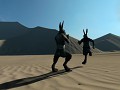
Therium-2 is now an official part of Overgrowth for the Steam Winter Sale.
You no longer need to download Therium-2 from either here or its Steam Workshop version; Overgrowth automatically includes Therium-2 by default.
Therium-2 has been remastered and includes new levels.
Every single level looks better, plays better and includes new bits of lore. Wolfire helped me improve and create new content, including a remake of the Empry, and a new tutorial level.

General Update
Therium-2 1 commentYes, the Therium-MP article was an April Fool's day joke. No, Therium-2 is not dead.
Related Files

Therium-2 Base Game v1.4
Therium-2 Full VersionThis is outdated! To play the latest version of Therium-2, download the most recent update for Overgrowth.
Overgrowth: Floating Chinatown by Ertyez
Singleplayer Map 1 commentA Custom Overgrowth Map "Floating Chinatown". This map is being updated from time to time and there are no requirements for download. Installation/launch...
Overgrowth Spray For Source Games
Spray 25 commentsIf you feel like promoting your favourite indie game while playing your favourite Source game. To use it: unzip the file, start your Source game, press...
Overgrowth Main Theme
Full Version 15 commentsMusic for the upcoming sequel to Lugaru: The Rabbit's Foot.
Post a comment
Profile
Icon

Developer & Publisher
Wolfire GamesEngine
Phoenix EngineContact
Send MessageHomepage
Wolfire.comRelease date
Game watch
Follow
Purchase

Style
X
Tags
Embed Buttons
Link to Overgrowth by selecting a button and using the embed code provided more...



You may also like

Bedrock High
Adventure

Star Wars : The Shadow Legacy
Adventure
Battle Talent
Adventure

Boss 101
Adventure

Space Adventure - Asteroids Field
Adventure

Rinlo
Adventure
This comment is currently awaiting admin approval, join now to view.
i allways thought it was free ,till i saw the steam page :(
An awesome feature in this game would be to pick up sand to temporarily blind opponents, or just small - medium sized debris (eg. bricks to posts) to throw or use as a means of defence/offence.
Again I can only imagine what beauty this game will bring.
hmmm..
Will you ever start building an actual game world? Stop showing us these makeshift alpha levels and updates to negligible little techical aspects. You're advertising this as an action-adventure but this still looks nothing more like a tech demo with some arenas and beat 'em up and platforming mechanics. Stop screwing around with the technical aspects and start building a GAME.
First of all, start building an actual game world. An actual living world. Then add a narrative component, a story. Add NPCs to interact with and objectives to complete. You have your engine, and you seem to have been stuck at this very stage for years. ******* utilize it already, build a game.
I pre-ordered this over a decade ago and I've realized it's never going to make any progress. The devs are great engine programmers but they have no interest in designing games - they'd rather just keep upgrading their engine. It was pretty novel to have a 3d indie game 10 years ago, now not so much when Unreal, Unity and Cryengine are free (and much more high tech than this decade old engine they keep upgrading).
This game is probably not ever going to come around. I know that these guys have worked their heart and soul into this game, but a development cycle this long is just unrealistic to ever be successful as a game studio, indie or AAA.
I mean, let's face it, plenty of indie game studios have opened up their games to Early Access and Greenlight and gotten pre-orders and Kickstarters and then they take the money and run or deliver a product that is ridiculously below professional quality.
To each his own. Four man team? You could divide the spoils well.
They've hired 2 more programmers, Turo and Tuomas, and are looking for an animator. Where looking at mostly performance boosts in the long run and avoiding CTD's thanks to their help.
Hopefully they can actually make some progress towards being a proper game rather than a thirty dollar tech demo, then
Pretty neat stuff, would love to play as soon as it comes out!
You'll be waiting a long time...
join the club