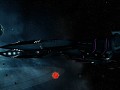
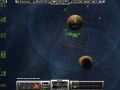
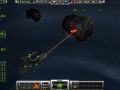
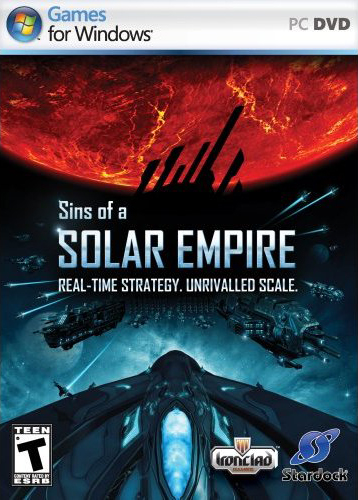
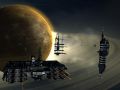
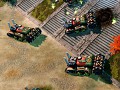
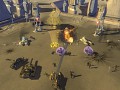
Sins of a Solar Empire is a real-time space strategy and the first chapter in an epic science fiction saga. The independent Trader Worlds must unite and form the Trader Emergency Coalition to defend themselves against the return of their exiled brethren, "The Advent" and the arrival of the desperate remnants of the ancient Vasari Empire. Explore and conquer nearby planets and distant solar systems by applying brute force, cunning strategy, elegant diplomacy, economic mastery, and researched technology. The gameplay features seamless transition between epic strategy and tactical combat modes.

Image RSS Feed Latest Screens
my maps my maps entrenchment
Blog RSS Feed Report abuse Latest News: Getting SINS to work on wine -- the real way.

3 comments by masternerdguy on May 25th, 2009 digg this super bookmark


Many people have wanted to run Sins of a Solar Empire on Linux for a while, but the process of getting most games to work with wine is.....not elegant. So, here is a step by step guide to getting it to work guaranteed.

Step 1: Install the Latest WINE release.
Every increment of wine has a lot of changes, not always good ones, but in this case you want them. Get wine 1.9 or better. You can do this from winehq.org or from your distro's package manager.

Step 2: Initial Winecfg
Go to a terminal and run winecfg . Set the version of windows to XP and then move to audio. After a brief bit of 30 second lag, you will see a list of drivers and some other options. I selected ALSA as the only sound driver (this might vary depending on your setup, but just use test sound to see if it works). Set hardware accel to full, driver emulation off, sample rate 48000 and bits per sample to 16. Then go to graphics. Make sure vertex shader support is hardware.

Step 3: Installation the weird way
WINE and Sins hate each other. The sins installer will refuse to copy any data. So, we can get around the installer from this helpful hint from winehq.

Mount the DVD and go to your CD within a terminal using the cd command. On most systems this is /media/SINS.

cd into data/OFFLINE/CA21F9C0 .

Run this code monster:
mkdir ~/.wine/drive_c/Program\ Files/
mkdir ~/.wine/drive_c/Program\ Files/Sins\ of\ a\ Solar\ Empire/
cp C430389C/* ~/.wine/drive_c/Program\ Files/Sins\ of\ a\ Solar\ Empire/
mkdir ~/.wine/drive_c/Program\ Files/Sins\ of\ a\ Solar\ Empire/Particle
mkdir ~/.wine/drive_c/Program\ Files/Sins\ of\ a\ Solar\ Empire/Galaxy
mkdir ~/.wine/drive_c/Program\ Files/Sins\ of\ a\ Solar\ Empire/String
mkdir ~/.wine/drive_c/Program\ Files/Sins\ of\ a\ Solar\ Empire/GameInfo
mkdir ~/.wine/drive_c/Program\ Files/Sins\ of\ a\ Solar\ Empire/Movie
mkdir ~/.wine/drive_c/Program\ Files/Sins\ of\ a\ Solar\ Empire/Window
mkdir ~/.wine/drive_c/Program\ Files/Sins\ of\ a\ Solar\ Empire/Mesh
mkdir ~/.wine/drive_c/Program\ Files/Sins\ of\ a\ Solar\ Empire/SDPlugins
mkdir ~/.wine/drive_c/Program\ Files/Sins\ of\ a\ Solar\ Empire/xml
mkdir ~/.wine/drive_c/Program\ Files/Sins\ of\ a\ Solar\ Empire/TextureAnimations
mkdir ~/.wine/drive_c/Program\ Files/Sins\ of\ a\ Solar\ Empire/PipelineEffect
mkdir ~/.wine/drive_c/Program\ Files/Sins\ of\ a\ Solar\ Empire/AppData
mkdir ~/.wine/drive_c/Program\ Files/Sins\ of\ a\ Solar\ Empire/Textures
mkdir ~/.wine/drive_c/Program\ Files/Sins\ of\ a\ Solar\ Empire/Font
mkdir ~/.wine/drive_c/Program\ Files/Sins\ of\ a\ Solar\ Empire/Sound
cp 1FDC88E4/* ~/.wine/drive_c/Program\ Files/Sins\ of\ a\ Solar\ Empire/Particle/
cp 28CF98BB/* ~/.wine/drive_c/Program\ Files/Sins\ of\ a\ Solar\ Empire/Galaxy/
cp 2CC87497/* ~/.wine/drive_c/Program\ Files/Sins\ of\ a\ Solar\ Empire/String/
cp 3D54D676/* ~/.wine/drive_c/Program\ Files/Sins\ of\ a\ Solar\ Empire/GameInfo/
cp 53B3C1D/* ~/.wine/drive_c/Program\ Files/Sins\ of\ a\ Solar\ Empire/Movie/
cp 5F0FBBFF/* ~/.wine/drive_c/Program\ Files/Sins\ of\ a\ Solar\ Empire/Window/
cp 68589853/* ~/.wine/drive_c/Program\ Files/Sins\ of\ a\ Solar\ Empire/Mesh/
cp 7456C179/* ~/.wine/drive_c/Program\ Files/Sins\ of\ a\ Solar\ Empire/SDPlugins/
cp 8D566B9B/* ~/.wine/drive_c/Program\ Files/Sins\ of\ a\ Solar\ Empire/xml/
cp 997EE87D/* ~/.wine/drive_c/Program\ Files/Sins\ of\ a\ Solar\ Empire/TextureAnimations/
cp BC19F89B/* ~/.wine/drive_c/Program\ Files/Sins\ of\ a\ Solar\ Empire/PipelineEffect/
cp D7102C86/* ~/.wine/drive_c/Program\ Files/Sins\ of\ a\ Solar\ Empire/AppData/
cp F56C52C/* ~/.wine/drive_c/Program\ Files/Sins\ of\ a\ Solar\ Empire/Textures/
cp F683113B/* ~/.wine/drive_c/Program\ Files/Sins\ of\ a\ Solar\ Empire/Font/
cp FCBFEF1/* ~/.wine/drive_c/Program\ Files/Sins\ of\ a\ Solar\ Empire/Sound/

Step 4: Regediting
Run regedit. This opens up an editor for the wine registry. Go to HKEY CURRENT USER then to Software then to wine.

Make a new key called Direct3D. Open it. Add a new String called VideoMemorySize and set it to the graphics card vram. For example, it would be 512 on my system.

Make a new key called DirectDrawRenderer and set it to opengl.

Export the registry (complete) to ~/.wine/user.reg .

Step 5: DLLs
SINS wants Faultrep.dll badly. Google and download it from somewhere. Get it into ~/.wine/drive_c/windows/system32. Then run winecfg and go to libraries. Add a new ovveride for faultrep and edit it to native, builtin.

Step 6: Launching
CD into ~/.wine/drive_c/program*files/sins* and use wine Sins*exe to run.

If you get errors....and game doesn't work or crashes....
Then you are in for an ultra tedious 10 minutes. You need to add all these ovverides.

"d3d8"="builtin"
"d3d9"="builtin"
"d3dim"="native"
"d3drm"="native"
"d3dx8"="native"
"d3dxof"="native"
"dciman32"="native"
"ddrawex"="native"
"devenum"="native"
"dinput"="builtin"
"dinput8"="builtin"
"dmband"="native"
"dmcompos"="native"
"dmime"="native"
"dmloader"="native"
"dmscript\"="native"
"dmstyle"="native"
"dmsynth"="native"
"dmusic"="native"
"dmusic32"="native"
"dnsapi"="native"
"dplay"="native"
"dplayx"="native"
"dpnaddr"="native"
"dpnet"="native"
"dpnhpast"="native"
"dpnlobby"="native"
"dsound"="builtin"
"dswave"="native"
"dxdiagn"="native"
"mscoree"="native"
"msdmo"="native"
"qcap"="native"
"quartz"="native"
"streamci"="native"

That is courtosy of "The Freelancer Community Site" at Freelancercommunity.net . Please do not ask why this fixes it, I do not understand myself. You MIGHT need to run that tutorial, once again do not ask why.

Finally
Thanks for your interest in linux and wine. For questions and comments email me at masternerdguy@yahoo.com .

Media RSS Feed Latest Video
Downloads RSS Feed Latest Downloads
SINS FW Version Alpha 0.3 Wallpaper

SINS FW Version Alpha 0.3 Wallpaper

Nov 04, 2009 Wallpapers 0 comments

Sins of a Solar Empire - Future Wars - tactical simulator - Version Alpha 0.2 Wallpaper

SINS Future Wars - Tactical Simulator - a0.3

SINS Future Wars - Tactical Simulator - a0.3

Nov 04, 2009 Full Version 10 comments

Release Alpha 0.3 of the Sins of a Solar Empire - Future Wars - tactical simulator

Stargate Invasion Human Fleet Backgrounds

Stargate Invasion Human Fleet Backgrounds

Oct 21, 2009 Wallpapers 6 comments

Here is a set of 3 pictures, all are the same just at different resolutions for use as backgrounds. Enjoy.

Volumetric Explosions and Damage Effects ver1.2

Volumetric Explosions and Damage Effects ver1.2

Oct 20, 2009 Full Version 2 comments

This latest version of the popular mini-mod adds completely new explosion effects for all three existing factions, plus a reworked and optimized particle...

Sacrifice of Angels 2 v0.3E.102

Sacrifice of Angels 2 v0.3E.102

Oct 18, 2009 Full Version 0 comments

This version fix's some of the corruption issues some have been having with the mod. See the updated READ ME for installation instructions, and other...

Full Scaled Rasterized Maps for TESSA

Full Scaled Rasterized Maps for TESSA

Sep 03, 2009 Other 0 comments

As requested by some, I am providing the actual interstellar maps I have based The Exodus Saga: Shattered Alliances Mod and actual story-in-progress on...

Comments  (0 - 10 of 68)
maxbun
maxbun Aug 9 2009, 11:21am says:

i just got sins of a solar empire today i hope it works soon.

+1 vote     reply to comment
darkChaos23
darkChaos23 Jul 23 2009, 4:35am says:

Gripes regarding this game...
Graphics on this are sorta wasted, you rarely scroll down to the individual battles for tactical control of your fleet, tactically its better to outmaneuver your foe over several galaxies rather then focus on a single battle, as the saying goes you may have won the battle but you have lost the war.

Advents' cheap energy shield ship spams are OP IMO, haven't won faster with Vasari or TEC, basically cheap spammage > expensive heavily armed fleets easily especially when you can get them out before your opponent

Also there's a lack of a campaign, i mean i thought there'd be a cool campaign and all watching the opening cinematic but no... there's only skirmish

+1 vote     reply to comment
droideka95
droideka95 Jul 15 2009, 7:21am says:

I just wanted to drop the main page a comment and ask everyone to please drop my sins mod a comment or suggestion of things they would like to see in my mod.

+1 vote     reply to comment
qpac
qpac May 21 2009, 8:25am says:

Please update the Profile.
Developer: Ironclad Games
Publisher: Stardock
Engine: Iron Engine (as mentioned before)
Website: Sinsofasolarempire.com

+1 vote     reply to comment
moosomething
moosomething Jun 10 2009, 2:20am replied:

u should ask INtense! because hes the 1 that made the profile.

+1 vote     reply to comment
qpac
qpac Jun 16 2009, 4:54pm replied:

Thanks for the tip.

+1 vote     reply to comment
Chris122990
Chris122990 May 19 2009, 8:05pm says:

What do you mean the game engine is unknown?

It uses the Iron Engine.

En.wikipedia.org

+1 vote     reply to comment
PromethiusSD7
PromethiusSD7 May 16 2009, 4:08pm says:

Would love a Freelancer mod for this, or a Homeworld mod.

+1 vote     reply to comment
masternerdguy
masternerdguy May 28 2009, 6:03pm replied:

you kill old rabits :)

+1 vote     reply to comment
Sputmint
Sputmint May 31 2009, 10:42pm replied:

maybe...

+1 vote     reply to comment
Post a Comment

Only registered members can share their thoughts. So come on! Join the community today (totally free) and do things you never thought possible.

Icon
Sins of a Solar Empire
Platform
PC
Developer
Ironclad Games
Publisher
Stardock
Engine
Iron Engine
Contact
Send Message
Official Page
Ironcladgames.com
Release Date
Released Feb 4, 2008
Game Watch
Track this game
Bookmark
Digg Super bookmark
Community Rating

Average

9.4

75 votes submitted.

You Say

-

Ratings closed.

Style
Genre
Real Time Strategy
Theme
Sci-Fi
Players
Single & Multiplayer
Project
Commercial
Boxshot
Boxshot
Statistics
Rank
15 of 1,289
Last Update
1 month ago
Watchers
139 members
Mods
21
Addons
9
Files
31