
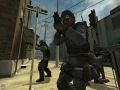
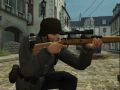
first of all u download a skin from Fpsbanana.com from games of css hl2 dods tf2 cs any game mostly first pick a skin for a gun download the skin it may show up as a folder with a name or a rar file if it is 1 file that dosent say materials models sounds or scripts then u must double click to open it inside it should contain materials models sound scripts etc.if its a rar file it shows up as a purple and blue book double click to open it comes up in another window it may be a folder like i said in a few words back. then go to my computer acer for me or anybody who has a acer computer look for C: double click go to program files /steam/steamapps/yourname/game css hl2 etc/ill go and say its css ur installing so go to css it will say counter strike again double click on put all the files in there press yes to all if u wana install another skin dont worry use these steps for other games but not ut3 cause its not the same there you go enjoy
install skins




I like yours better
yes...! better!
Good times, good times...
fpsbanana is a s*** everything dont work
This comment is currently awaiting admin approval, join now to view.
can you put these on the ps3 and how?
This comment is currently awaiting admin approval, join now to view.