Table of Contents
- Introduction
- Clean SG Installation
- Get the files
- Install GTK Radiant 1.4
- Install Q3Map2Toolz
- Unpack sg_mapping_toolz_v2.zip
- Set-up GTK parameters
- Conclusion
- Other tutorials
The purpose of this tutorial is to configure GTK Radiant 1.4 to work with the stand-alone release of Smokin-Guns. I have Smokin' Guns installed to "C:/Program Files/" and I have written all my paths as such. If you have installed Smokin' Guns to a different directory, read this tutorial carefully and change the paths to match yours.
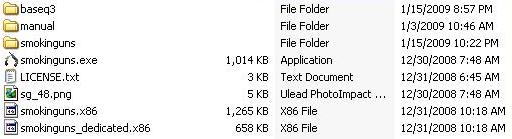
You will need a clean (and functional) Smokin' Guns installation as shown below:
Installing GTK Radiant 1.4 is pretty straight forward, but we are going to be making some changes along the way.
Since Quake III Arena is no longer used by SG, we will be installing the mapping tools into the Smokin' Guns directory.
Run the "GtkRadiantSetup-1.4.0-Q3RTCWET.exe" installer and click through the usual install process until you see this screen:
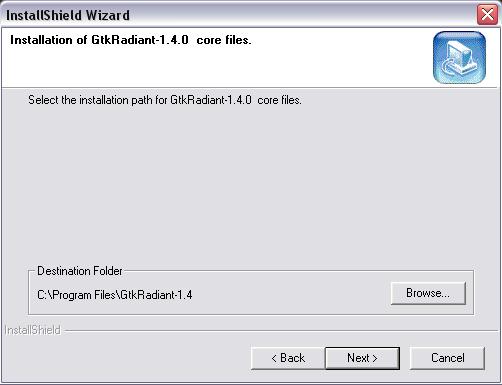
I have Smokin' Guns installed to C:\Program Files\Smokin' Guns\ so everything here is correct. Click "Next" & you should see a screen like this:
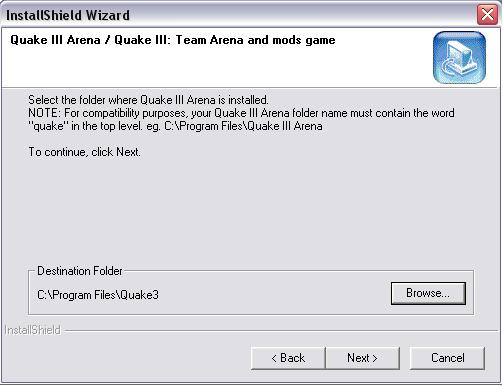
This is where we need to change things. Click "Browse" and change the path to where you have Smokin' Guns installed as shown below:
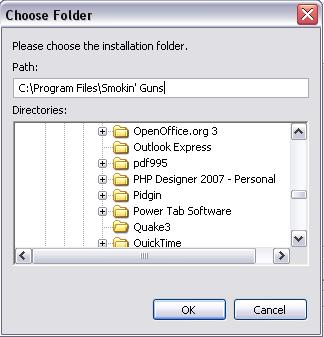
Click "OK" and then click "Next" The next screen you should see is asking for the name of the Radiant folder. By default the name is "Radiant-1.4";
this is good and you may click "Next". Assuming that you only want to map for Smokin' Guns you may click "Next" until you see this screen:
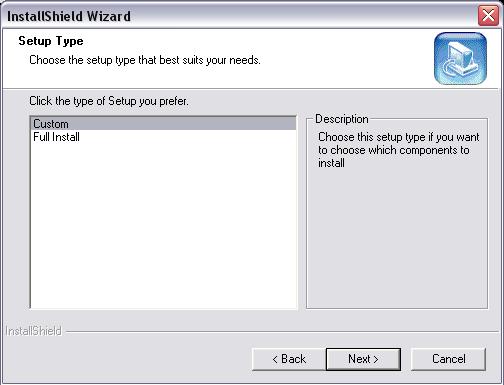
Select Custom and then click "Next" on the next screen, only select the options as shown below:
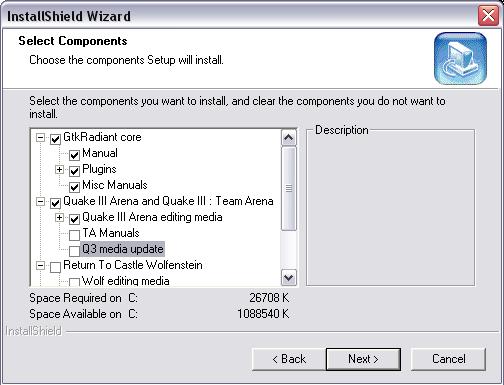
Then click "Next." The next screen ask you where you wish to install the start menu shortcuts. Click "Next" when you are ready. Finally, press "Next" to install GTK Radiant 1.4
If you plan on using Q3Map2Toolz, which is a front end GUI for compiling, you will need to install it now before continuing with this tutorial. Run the installation executable; where it is installed is not important, therefore "C:\Program Files\Q3Map2Toolz" is fine. The is not part of GTK Radiant 1.4, but the next step includes files needed to run Q3Map2Toolz, and therefore it is mentioned in this tutorial.
**NOTE**: If your path differs from C:\Program Files then you'll have to open "*/GtkRadiant-1.4/games/sg.game" with a text editor (like Notepad or Wordpad) and fix the paths to your directory. Don't forget to SAVE in your text editor.
Launch GtkRadiant-1.4.0 and you should see something like this:
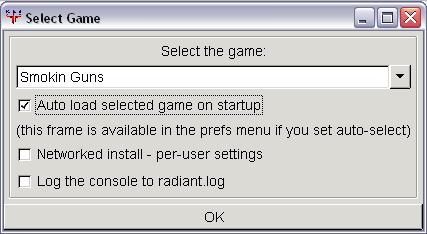
Select Smokin' Guns from the drop down menu and press "OK" and you will see something like this:
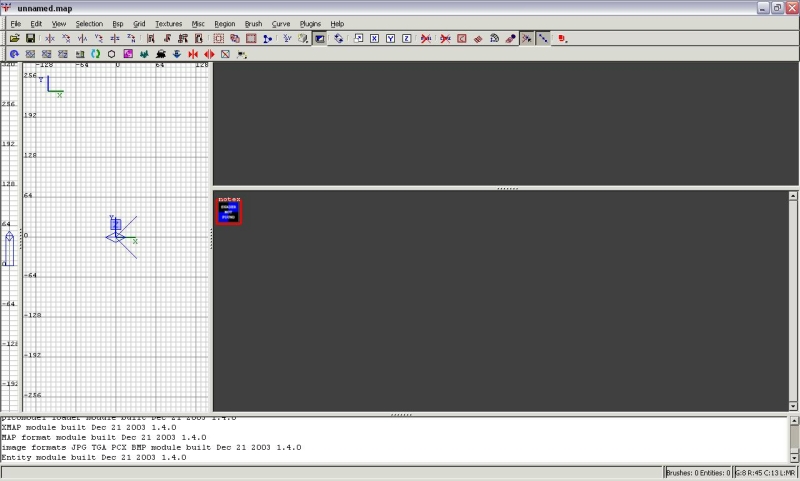
GTK Radiant 1.4 should now be working with the Smokin' Guns stand-alone. If you follow this tutorial you should be able to map for Smokin' Guns without installing Quake3. If you need any help, feel free to ask questions on the Smokin Guns level editing forums.



The title 'Steup GTK Radiant...' is misspelled.
Which unfortunately made me not click this the first few times, because I thought it was one of 'those' news posts.
Fixed ;)
ooops thanks for the heads-up, and thanks Tequila for the fix.
I tried posting this at school many times but it would just sit there "waiting for response from moddb.com" So I posted it when I got home (in a bit of a rush apparently)
cool
I'll try to get a compiling tutorial up soon, but there are plenty of tutorials on compiling Quake3 maps. Just remember to use the compiler that comes in "sg_mapping_toolz.zip"