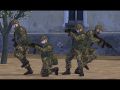
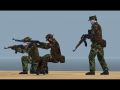
The WW4 modpack is a complete Operation Flashpoint modification providing the user highly optimised and very numerous troops/factions and their weaponry to build massive battles without most addons usual performance hit. The mod comes with its own animation set and features.
Articles
Available on ModDB :
Moddb.com
The Patch 1 does the following :
-fixed : WW4 West Recon troops have their complete wound texture now
-fixed : the turret of the WW4 West HMMWV in 1st person view is now turning correctly
-fixed : the East WW4 Armor BTR999 floats a bit higher on water to prevent nearly invincibility against missiles
-fixed : the strange bug that made the M202A1 flash launcher to crash when firing for some people
-added : a rocket launcher version of the M202A1 (West -> Men -> Flash Grenadier 2 )
-fixed : the Javelin/Vympel/SMAW left a wrong model for when you put down a missile, went back to default OFP model
-fixed : the AN-94+PSO had a very badly defined firemode that was crashing the game when switching to it.
-modified : increased every bullets damage by 0.5, it's a subtle change so the impact is not too much on the WW4 type of gameplay i want, but it allows some more balancing with the armor system.
-added : Ammo crates for West, East and Everon weapons, available in Empty -> WW4 Ammo
-modified : WW4 Cars use now the same machinegun as the WW4 Armors
-fixed : wrong unitinfotype for the WW4 BRDM that was not displaying the ammo count
Require the WW4 Modpack 2.5 available on ModDB :
Moddb.com
As usual, comments, questions, discussions and reports about the WW4 Modpack 2.5 can be found here :
Forums.bistudio.com
WW4 Modpack 2.5 release
NewsIt's been a long work, but finally the WW4 Modpack 2.5 is released. It is compatible with both Operation Flashpoint 1.96 and with the recent re-release...
WW4 Modpack 2.1 Release
NewsAfter a very long time since the original release, a now up to date work is now released as WW4 Modpack 2.1, while i continue work on the future version...
WW4 Modpack development
NewsWW4 modpack official upgrade 1.5 is on the work to help the long wait required for the expansion to be completed.
WW4 modpack Expansion in the work
NewsAn expansion pack for the WW4 modpack is currently under development, more details in the complete article
Files
WW4 Modpack 2.5 Patch 1
Patch 8 commentsPatch for the WW4 Modpack 2.5 , fixing the reported problems of this recent release. Require the full WW4 Modpack 2.5
WW4 Modpack 2.5
Full Version 5 commentsWW4 MODPACK 2.5 Full version of the mod for both Operation Flashpoint Resistance and the recent re-release of it under the name ArmA : Cold War Assault.
WW4 Modpack 2.1
Full VersionThe WW4 modpack is a complete Operation Flashpoint modification providing the user highly optimised and very numerous troops/factions and their weaponry...
WW4 Modpack 2.1
Full Version 1 commentWW4 MODPACK 2.1 Full version of the mod for Operation Flashpoint Resistance
WW4 Modpack 1.0
Full VersionWW4 MODPACK 1.0 Full version of the mod for Operation Flashpoint Resistance
Post a comment
Profile
Icon

Game
Operation FlashpointCreator
SanctuaryContact
Send MessageHomepage
Forums.bistudio.comRelease date
Mod watch
Follow
X
Tags
Embed Buttons
Link to WW4 Modpack by selecting a button and using the embed code provided more...






This comment is currently awaiting admin approval, join now to view.
am i the only one who gets an immediate crash?
Hi people, I'm looking for a complete list of the names of the equipment you have here. Where can I find it? Thanks for your time, and for this great job :)
Spreadsheets with all the units and weapons in WW4. Includes class names, gear equipped and so on: Drive.google.com
Anti-terror for the East is wrong.
They have the 9x39 thing, not AKs with Kobras.
Actually, I think you confused the East Spec Ops and Anti-Terror.
What happened to WW3?
WW3 is the happened when the East and West fight each other in (Operation Flash Point Cold War Crisis) and (Arma Cold War Assualt)
i have version 1.0 does i need the latest version of the game
sorry for the bad inglish im from portugal
it does need the latest or atleast 1.96
HK417 needs to be featured!