Research and Development is a puzzle-centric mod for Half-Life 2: Episode Two featuring an unarmed player but plenty of violent mayhem.


Articles
PC gaming super-blog Rock, Paper, Shotgun loves R&D! In a new review Alec Meer praises the mod as "a seismic shift" away from the norm, telling readers that it is "as must-play as an HL2 mod gets":
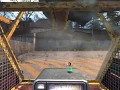
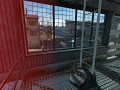
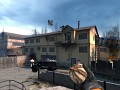
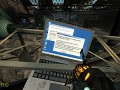
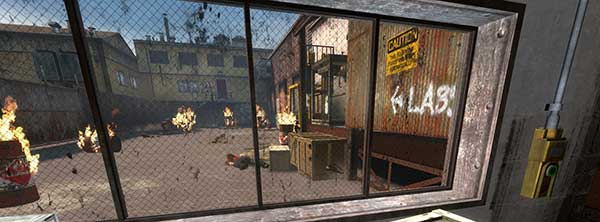
R&D’s hook is that it’s essentially non-combative. Yep – you go without guns throughout (bar the ol’ Gravity jobbie, but hey, that’s more about construction than destruction here). Sure, you can tell an Antlion to claw someone to death or arrange to squash men with falling girders, but you’re definitely not Edward Pistolhands. It’s an environmental adventure game, taking the irregular physics and logic puzzles seen in HL2 itself and turning them into the game itself. Mazes, gravity, exploding microwaves and fire-retardant antlion carapaces all make an appearance – it’s very much a point’n’click adventure in an FPS engine.
If you still haven't played Research and Development, which requires Episode Two, download it now!
Research and Development released
News 101 commentsMatt Bortolino's excellent HL2: Episode Two "action puzzler" has been released from nowhere!

20th Anniversary - Classy Classics
Feature 47 commentsThe classics, the oldies, the goodies, the nostalgia trips - these twenty mods defined a generation and are proof modding perseveres!

Players Choice - Mod of the Year
Feature 113 commentsView 2009's mod of the year, as picked by you the players.

A Year in Review - July
Feature 4 comments2009 has been a fantastic year for modding and indie gaming. With the highest amount of recorded featured releases ever on ModDB it can still go over...
Files

Research and Development Patch - Source SDK 2013
Patch 61 commentsThis patch fixes most issues related to engine branch incompatibility and is designed to run using the latest "Beta" of Source SDK Base 2013 Singleplayer...

Research and Development (installer)
Full Version 50 commentsUpdated 17 July 2009, fixed several issues & added a dynamic crosshair when using the keypads & lab buttons. Requires Episode Two.

Research and Development
Full Version 41 commentsUpdated 17 July 2009, fixed several issues & added a dynamic crosshair when using the keypads & lab buttons. Requires Episode Two.
Post a comment
Profile

X
Tags
Embed Buttons
Link to Research and Development by selecting a button and using the embed code provided more...







i played through this on MMOD which broke a lot of things but regardless this is such a unique mod and a ton of fun!
This comment is currently awaiting admin approval, join now to view.
This comment is currently awaiting admin approval, join now to view.
This comment is currently awaiting admin approval, join now to view.
This comment is currently awaiting admin approval, join now to view.
This mod should definitely be released on Steam! Is there a way how one could initiate this?
There is no chapter selection. Yes i have episode two
Alright, for those that can't get it to work because of an error or the water in the main menu has a missing texture then here should be the fix:
First, right-click Source SDK Base 2013 Singleplayer in the Steam library and select properties. Under the General tab, you will search Launch Options and add this in the space: -game "Research and Development". Keep those quotes.
Second, go to the Betas tab and make it upcoming - upcoming. This may change in the future so if it does just try whatever is there after the process is over.
For water with missing texture:
You only installed the patch and not the mod itself. Download the main mod called Research and Development. You can find this under the files tab at the top of the page
For error when starting the Source SDK game:
You need to download the patch called Research and Development Patch - Source SDK 2013. You can find this under the files tab at the top of the page
You need to install the patch or move the mod to the right place. Make sure to move the main mod to where the SDK game folder is (for example mine is at E:\SteamLibrary\steamapps\common\Source SDK Base 2013 Singleplayer). The "Research and Development" folder should be in "Source SDK Base 2013 Singleplayer" folder. Now download the patch at the top of the page and overwrite the contents in the "Research and Development" folder. That's literally it.
Restart Steam just in case.
This worked for me after 2 hours of meddling. Hope this works and have fun
I wanted to know why someone would bother to write such a guide. I used the same knowledge during the "installation", which you need to get any other Source Engine mod, which you have downloaded somewhere, to work. Furthermore, I didn't even read any readmes or guides.
Result: The mod can be started and played even in the year 2023 without any problems. I only played it for a short time, but I didn't notice any bugs (except the antlions) or other problems.
still isnt working even thought i moved it to source sdk base 2013
i put it in source sdk base 2013 single player but it still doesnt work