foxMod v0.9
Improved AI, Hor+ FOV widescreen support, proper splitscreen support and improved gamepad support for Unreal Tournament 3
By fox
Special thanks to M0tah for writing the installer, testing and valuable feedback: Steamcommunity.com
General Additions:
- Hor+ FOV support - automatically scales FOV based off aspect ratio and "Desired FOV" setting, with server-configurable FOV clamps
- First-person weapons rendered correctly for wider aspect ratios
- New menu options for most new features within reorganized options menu
- Fixed crash when picking up dropped weapons as a network client
- Campaign mutator support
- Team-colored death messages for all modes
- Safeguards to prevent profile corruption when the online profile isn't immediately retrieved
Control Improvements:
- Players can now cancel an engaged Scorpion boost by pulling back on the throttle
- Translocator can now switch to previous weapon by pressing fire while holding alternate fire, and vice versa (like UT'99 / 2kX)
- Working look-to-steer controls and associated "Vehicle Controls" option, rewritten to account for movement stick/keys heading
- Adjustable controller deadzone
- Special mode for improved "Mouse-Like Joystick usage" on a Steam Controller
- Additional bindable controls:
- Drop Flag / Weapon (Hold)
- Toggle Crouch / Dodge
- Toggle Impact Hammer
- Fine Aiming (Gamepad)
- Weapon Picker (Gamepad)
- Show Base Path
- Network Statistics
- Screenshot
Audio Improvements:
- Fixed issues where certain sounds would play twice (translocation, weapon-switching, etc.), particularly for network clients (jumping, landing, etc.)
- Music now correctly plays for network clients and features configurable action/tension music times
- Music tracks are now always played under the "Music" audio group and guaranteed to loop (fixes issues with certain custom music in custom maps)
- Fixed non-looping action music in DM-Deck (and any map that uses GoDown as music)
- New voice messages for most vanilla characters
- Subtle pitch randomization for voice messages
- Ensure all voice messages of a particular category (taunts, status updates, etc.) have been played before allowing them to be reused
- New SendSpeech console command for broadcasting specific voice clips, optionally to team only
Splitscreen Support:
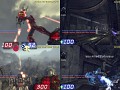
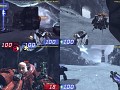
- Drop-in / drop-out splitscreen support via "Splitscreen Players" menu slider - dynamically select number of splitscreen players from 0 to 3
- Local profile system for splitscreen players to automatically save/load their settings
- Proper settings configuration - settings such as A/V and Network settings can only be set by first player
- Fully functional splitscreen audio - including music, dialogue and announcement support
- Proper voting support - local players all mirror each other's votes
- Automatic guest-style player renaming - "fox", "fox(2)", "fox(3)" instead of "Player258"
Enhanced Gamepad Support:
- Tighter looking and aiming controls, with adjustable quick-turn sensitivity
- Optional "Fine Aiming" bindable control to shrink the crosshair and set finer aim sensitivity (not bound by default)
- Subtle auto-aim and control tweaks for inputs received from a gamepad - gamepads can be used in tandem with a keyboard/mouse - features toggle as appropriate
- Revamped default control setup
- Analog stick quick-configuration - southpaw, legacy, etc.
- Fully remappable gamepad controls - some were mysteriously missing
AI Improvements:
- Anti-stuck measures for bots, fixing issues such as getting stuck in DM-Turbine
- Better follow behavior - bots utilize Link Gun properly when following and break off for combat/items when appropriate (within range and line-of-sight to leader)
- Reliably engage targets (enemies and objectives) when flying through the air (e.g. from jump pads etc.)
- Attack any visible part of objects (helps tremendously on attacking Power Nodes / Cores - AI can now complete Confrontation with the Leviathan)
- Keep charging weapons charged as long as possible when target can not be attacked (shot blocked etc.)
- Avoidance Mapping system that allows bots to choose potentially longer, but safer paths when running an objective (potentially expensive)
- Look around more when idle for better situational awareness (requires Avoidance Mapping to be enabled)
- Better use of level geometry as cover during fights
- Crouch more often, particularly if it allows hitting a target that could not otherwise be hit
- Try to jump and wall-dodge more often in combat
- Avoid lifts if they have already been used and would need to wait
- Greater avoidance of areas where deaths have occurred that match
- Allow use of hunting and "devious" behavior in team games and when large numbers of bots are present
- Utilize defensive spots that erroneously have no objective defined (just assume closest objective)
- Organize larger squads for better coordination (by default, one squad per order)
- Pick new squad leader more often, based on leader distance to objective (helps push objectives)
- Randomly assigned initial orders; influenced by other bots' orders and whether team is lead by a player
- Periodically reassign orders on all-AI teams / after last human player leaves team
- Always hunt super pickups, no matter how far away, in games with no objective (e.g. Deathmatch) or if freelancing
- Always pick up nearby useful inventory, regardless of goal (configurable - enabled by default)
- Extended vehicle pathfinding; AI will now attempt to drive vehicles anywhere they'll fit
- Improved vehicle usage all-around, particularly in combat
- Intelligently use any vehicle of opportunity (based on current vehicle if appropriate), not just squad vehicles
- Prefer enemy unlocked vehicles to help tip vehicle usage in their team's favor
- Prefer certain vehicle types according to effectiveness - generally prefer flying vehicles, fast vehicles for objective capping, artillery, etc.
- Move in position to tow the flag carrier when appropriate and in a fast vehicle - Scorpion, Manta, etc.
- Try harder to get a vehicle unstuck before simply abandoning it
- Remain in vehicles if near an objective and someone else nearby is on foot (to help cover them)
- Use Leviathan more effectively and move it more often
- Get out of stationary vehicles/turrets for pending Titan transformation, or if an enemy is too close to shoot
- Utilize track turrets based on how enemies are visible to nodes along the track
- More intelligent use of Hoverboards and tow cables, particularly in Warfare
- Don't randomly engage Scorpion self-destruct and use jumping ability of vehicles more often (Manta, Viper, Scavenger, etc.)
- Attack empty locked enemy vehicles to thin out base defenses
- Honk horn when looking for passengers
- Attempt to fetch passengers when flying an air vehicle and not in combat - optimal Cicada usage for starters
- Attempt to get out and heal vehicles when not busy
- Attempt to toss flags and weapons when appropriate - will toss flags to stronger teammates closer to base, weapons to very weak teammates
- Prefer to grab the enemy flag when attacking even if the friendly flag is taken (more realistic)
- Improved general Translocator usage (use it more often, don't sit still when waiting for Translocator discs, etc.)
- Leave Translocator discs around to possibly teleport to later (e.g. to escape danger, or immediately teleport back to enemy flag after a successful flag run)
- Shoot Translocator discs to disrupt them more often
- Improved jumping out of water behavior
- Improved Orb handling
- Improved Warfare teleporter usage
- Keep a Hold Position order after respawning
- Taunt and give praise on cool actions (flag captures, multi-kills, sprees, etc.)
- Improved shootable door behavior (like on Turbine) - use Enforcer or other weapon guaranteed to open door if possible
- Use Impact Hammer on invulnerable or heavily shielded enemies to knock their powerups off if appropriate
- Allow use of Stinger secondary fire at close range
- Necris and Krall bots no longer randomly spout human speech - particularly incoming vehicles
- Krall bots now speak subtle grunts over the comms (bored, in combat, etc.) instead of RAWR all the time
- Say "Incoming" instead of calling for backup when near teammates and outgunned
- Various bug fixes over vanilla AI, and probably some new bugs :)
Articles
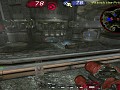
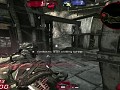
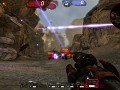
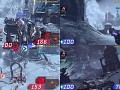
Greetings everyone! I'm proud to present the newest release of foxMod, a small pet project for Unreal Tournament III that aims to improve the game's AI while also adding hor+ FOV widescreen support and 4-player splitscreen support with enhanced gamepad control. Play UT on the couch with your friends!
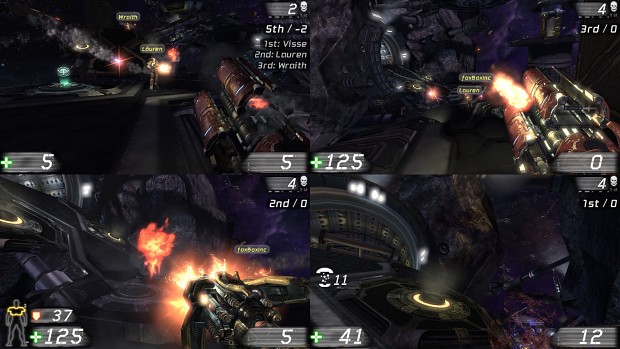
Some of the more noteworthy additions in this release include new risk-based pathfinding routines for the AI, which allows them to choose potentially longer, but safer routes when on route to an objective (such as running the flag) and make more effective use of level geometry as cover during combat.
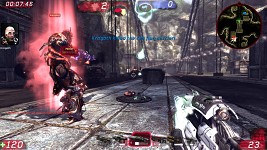
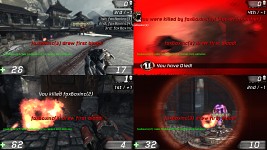
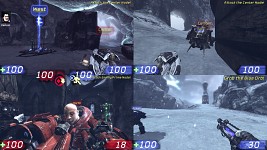
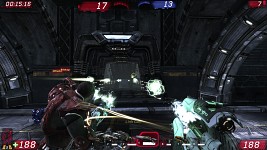
Also of note is a redesigned audio system for splitscreen that fixes all of the previous splitscreen audio issues, as well as improved campaign mutator support (no more console commands). Finally, full network play support and stability improvements across the board round out the release.
Interested? Check it out here on ModDB!
Enjoy!
~fox
Changes in v0.7 (09/08/13):
General:
- Support for new CBP3 content
- Drop Flag / Weapon control, which will now toss your weapon when held
- Proper vehicle FOV support (wasn't being calculated correctly before)
- Proper campaign mutator support (including splitscreen)
- New Force Translocator mutator to force Translocator in any game mode (will disable Hoverboards)
- "DisplayPortrait Accessed None 'VoiceInterface'" bug fix
- Team-colored death messages for all modes
- Fixed voting in a 3-4p splitscreen games causing a crash (from v0.5 - oops!)
- Gamepad autoaim now only activates if gamepad input has been used exclusively for the past few seconds (using tandem gamepad+mouse setups will no longer grant autoaim)
- Vehicle control type now reliably set for network clients
- Gamepad autoaim now reliably set for network clients
- Various bug fixes and code cleanup, particularly with networking support
- Sounds now only play for the closest player in splitscreen (fixes all known splitscreen audio bugs). Removed volume normalization as it's no longer needed.
- Fixed non-looping action music in DM-Deck (and any map that uses GoDown as music)
- New Look to Steer control code that factors in movement stick/keys in addition to camera orientation (allows driving and looking in two different directions at once when using "relative" steering control)
- Weapon Switcher Quick Peek is now also shown if the weapon bar is hidden
- Fixed an issue where the voting screen could become unresponsive if the 2nd, 3rd or 4th player won the match
- Server-configurable FOV clamps
AI:
- Support for new CBP3 content
- Configurable max default orders
- Further general anti-stuck improvements
- AI now attack any visible part of objects (helps tremendously on attacking Power Nodes / Cores -- AI can now complete Confrontation with the Leviathan)
- Avoidance Mapping system that allows bots to choose potentially longer, but safer paths when running an objective
- AI make better use of level geometry as cover during fights
- AI avoid lifts if they have already been used and would need to wait
- AI no longer attempt to snipe when actively under fire
- Further improved hoverboard usage - AI now hoverboard more often in Warfare
- AI now attempt toss the flag to stronger teammates closer to the base
- AI now attempt to toss their weapon to weaker teammates, such as recently respawned teammates
- Greater avoidance of areas where there have been a lot of deaths that match
- Hold Position order sticks after a bot dies (AI now store their HoldSpot)
- Greatly improved vehicle healing behavior for AI (always heal nearby vehicles if not in combat)
- Necris and Krall bots no longer randomly spout human speech (particularly incoming vehicles)
- AI now prioritize vehicles they're already heading towards (similar to vanilla behavior)
- AI now understand towing in Warfare
- AI now slightly prefer fast vehicles over slow ones
- AI now slightly prefer artillery
- AI now check if they're close to the ground before hoverboarding, getting out of a vehicle to heal, etc.
- Better combat checks for hoverboards and non-combat vehicles
- Major code cleanups
- AI now always attack the power core if they have line-of-sight to it
- Improved "devious" behavior checks
- AI now longer reuse routes as often
- AI Titans that are stuck now attempt to crouch out of their spot, and failing that just suicide (better than them uselessly sitting there)
- Attacking AI now only use defensive vehicles (turrets etc.) when threatened, and get out after the threat is eliminated
- AI can now bail from low-health turrets
- Major improvements to AI vehicle handling when stuck
- Small fixes to help bots play on maps like ONS-Hostile
- AI can now attack locked enemy vehicles to thin out base defenses
- Improved vehicle usage in non-objective game modes
- Improved vehicle usage in combat
- AI vehicle gunners no longer randomly shoot at the wall
- Improved orb handling ability
- Improved Warfare teleporter usage
- AI now only grab vehicles within range of leader
- AI now grab items within range of leader
- AI now taunt and give praise on cool actions (flag captures, multi-kills, sprees, etc.)
- Improved shootable door behavior (like on Turbine) - use Enforcer or other weapon guaranteed to open door if possible
- Use Impact Hammer on invulnerable or heavily shielded enemies to knock their powerups off if appropriate
- More configurable options for AI
- Added a small configurable easter egg :)
foxMod v0.6 for Unreal Tournament III
NewsIn light of the recent UT3 Steam Sale, here's some new work on a splitscreen / gamepad / FOV / AI support mod for the title. Also small rant on splitscreen...
Version 0.4 Released
News 4 commentsShort post on the release of v0.4 and a blurb about UT3 AI work.
Version 0.4 Incoming
News 3 commentsPost detailing soon-coming 0.4 release, along with a WIP changelog.
Files
foxMod v0.9 - Installer
Full Version 3 commentsThe ninth release of foxMod sees previously unreleased improvements and bug-fixes, mostly authored in 2014 and 2015 (with a few recent ones as well).
foxMod v0.9 - Manual Install Zip
Full Version 3 commentsThe ninth release of foxMod sees previously unreleased improvements and bug-fixes, mostly authored in 2014 and 2015 (with a few recent ones as well).
foxMod v0.8 - PS3 Test
Full Version 4 commentsFirst test of foxMod for the PS3 version of UT3. Currently very beta and may not work!
foxMod v0.8 - Installer
Full Version 29 commentsThe eighth release of foxMod sees improvements all around, particularly with AI, client-side features and interaction with vanilla UT clients.
foxMod v0.8 - Manual Install Zip
Full VersionThe eighth release of foxMod sees improvements all around, particularly with AI, client-side features and interaction with vanilla UT clients.
foxMod v0.7 - Installer
Full Version 4 commentsThe seventh and largest release of foxMod drops dozens of AI improvements, improved widescreen support and further enhanced 4-player splitscreen and gamepad...
Post a comment
Profile
Icon

Game
Unreal Tournament 3Developer
foxMod FolksContact
Send MessageHomepage
Taraxis.comRelease date
Mod watch
Follow
X
Tags
Embed Buttons
Link to foxMod by selecting a button and using the embed code provided more...







This comment is currently awaiting admin approval, join now to view.
That FOV fix doesnt do anything even when adding it via the mutators but then I also have splitscreen view on my screen. Wtf?
Awesome mod. What the AI can do now is truly jaw dropping. One thing though... The mod disables the kills sounds and they now only play on multi kills or reaching killing spree or more. Any way to make it so they play on every kill again?
Amazing mod ! Didn't think I'd be able to relive my UT2004 online days with my buddies locally with my kids but you made it possible ! Thanks so much.
I know this is unlikely, but is there a way to enable the map for Warfares ?
great!
excuse me, they could improve the screen split for windows 8.1, please talk to me in the following email rr808170-gmail.com to show it in more detail, serious the error and is that when the game is in full screen with 2 players or more, in offline the screen looks black, the simvolos of life and bullets look, but everything else in black, I can move and shoot everything is still heard, and when I put it in window everything is fine but with another resolution
Awesome mod!
I'm having the problem that after loading a map, no keystrokes are detected, nothing happens when I press a key on the keyboard or a mouse button. Only "Tab" is working and reacting to my keyboard, and mouse movement. When I plug in my Xbox 360 controller, it works as well. I'm not sure whether this is related to this mod, as I don't recall precisely when it first happened. Nevertheless, does anyone have a clue where this could be coming from? Thanks.
@foxBoxInc Is there any way to play splitscreen with mouse & keyboard for player 0 and an XBOX360 controller for player 1? Both mouse/keyboard and controller only work for player 0.
I second this...it is possible?