[page=Introduction]
Okay. Most maps feaut. Doors. It doesn't matter if it's Half-Life, Counter-Strike, The Specialists, Action Half-Life, Firearms... You need Doors !
In this tutorial, you will be shown how to make a simple rotating door :)
[page=The Tutorial itself]
Start by making a room. I made a nice square room, which i divided with a brush.
It looks like this:

This is how it looks, from inside a room:

It's pretty symetric, but it was just to make an easy example.
Move on to clipping the Wall in the middle, up (For more information, use my tutorial on How To Clip up a Doorway.
This is how it looks on the 2D view, viewing from top:

Okay, when you're done clipping - you can't delete the wall in the middle. We're going to use that later.
Click it, and resize it, so that it is half as thick as the wall. Browse through your textures, and find a suitable door texture. I Choose something with "Fifties" in it (The title - if you want this door, search 'Fifties').

Make the door's texture Fit using the Texture application tool and afterwards you should look for the texture called 'origin'. It can be found in your halflife.wad from your half-life\valve directory.
Make a little box, that is the same thickness as the wall, and make sure it covers the part were the hinge of the door is (The point it rotates around).

See the little square ? That's it.
Here is how it looks on the 3D-View:

Select both the Door-Brush and the Origin-Brushand press CTRL+T.
This little screen pops up:

You can select a "Move Sound" if you want to. There are several other options, but i will alow yourselves to experiment with them. Their tags are pretty self-explanatory.
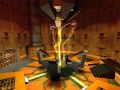
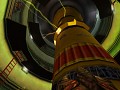
Add some spawns and some lights (I did this at the beginning) and hit the compile button/F9. This is the result i got:

[page=Conclusion]
Making doors is just about the same as making a sky. It is very easy, but in many maps, it is vital for the map to work.
-Good luck Mapping :)




Hope someone can use this :)
Most mappers have moved onto Half-Life 2, they are also LOADS! of tutorials exactly the same of this, its nice to see you making a tutorial but I don't think it will be used.
i think u need to fix the pictures buddy i can't see them.
Not seeing pictures makes me sad :(
Re-upload the pictures please!
Aw man! Without pictures, I can't understand anything!
repost pictures if you can, kinda hard to know what you're trying to say without those pictures ;/
this is usefull for those who forget easily.