CryENGINE®3 is the first PC, Playstation®3, and Xbox 360™ all-in-one game development solution that is Next-Gen ready with scalable computation and graphics technologies. Using the CryENGINE®3, you can start the development of your next generation games today. CryENGINE®3 is the only game engine that provides multi-award winning graphics, state-of-the art lighting, physics and AI, out of the box. The famous CryENGINE®3 Sandbox™ editor is a production proven, third-generation real-time tool suite designed and built by AAA developers. CryENGINE®’s powerful real-time renderer is now even better! DirectX 11 (DX11) support significantly enhances the capabilities of the renderer within CryENGINE®3, allowing for some of the best visuals ever seen.
Tutorials
Posted
Updated
| Subject
| Author
| Popular Today
| Popular All Time
| Difficulty
| Area
| Relevance

CRYENGINE 3.5.3 Tutorial "Лифт"("Elevator")
Mapping/Technical TutorialIn this tutorial I will show you how to create lift. All objects, number of floors and so on, of course, can be changed.
Creating HD Eyelashes for Characters
Players Modelling Tutorial 5 commentsThis tutorial can be applied not only on eyelashes, but on any kind of organic or non-organic asset. Cables, hair, intestines, ribcages, clothes, ropes...
CryENGINE 3: Breaking Ground with Sandbox
Mapping/Technical Tutorial 3 commentsUse some of the functions and entities that the CryENGINE 3 SDK gives to us straight out of the box.
![Cryengine 3 SDK (Sandbox) Tutorial part 19: HDR Lighting [HD]](https://media.moddb.com/cache/images/articles/1/89/88023/crop_120x90/cryengine3ghg.jpg)
Cryengine 3 SDK (Sandbox) Tutorial part 19: HDR Lighting [HD]
UI/HUD Tutorial 1 commentHello everybody, this is the 16th Cryengine 3 sdk tutorial. Today we are goind to look at the time of day tool box where we can adjust lighting, fod and...
![CryEngine 3 SDK (Sandbox) Tutorial part 18 : Real Time Global Illumination [HD]](https://media.moddb.com/cache/images/articles/1/89/88022/crop_120x90/cryengine3ghg.jpg)
CryEngine 3 SDK (Sandbox) Tutorial part 18 : Real Time Global Illumination [HD]
UI/HUD TutorialHello everybody, this is the 18th Cryengine 3 sdk tutorial. Today we are goind to look at real time global illumination that is in time of day tool box...
![CryEngine 3 SDK (Sandbox) Tutorial part 17 : The Sun's path [HD]](https://media.moddb.com/cache/images/articles/1/88/87114/crop_120x90/cryengine3Cutpicture.jpg)
CryEngine 3 SDK (Sandbox) Tutorial part 17 : The Sun's path [HD]
Mapping/Technical TutorialHello everybody, this is the 17th Cryengine 3 sdk tutorial. Today we are going to look at the suns path tool box where we can adjust lighting, fod and...
CryEngine 3 Custom 3d Vegetation using 3ds Max
Props Modelling TutorialIn this episode we bring you 3d repeating textures from 3ds Max. Very simple, accurate, and easy to follow CryEngine 3 tutorials!
![CryEngine 3 SDK (Sandbox) Tutorial part 16 : Time of day [HD]](https://media.moddb.com/cache/images/articles/1/87/86939/crop_120x90/cryengine3ghg.jpg)
CryEngine 3 SDK (Sandbox) Tutorial part 16 : Time of day [HD]
UI/HUD Tutorial 4 commentsHello everybody, this is the 16th Cryengine 3 sdk tutorial. Today we are goind to look at the time of day tool box where we can adjust lighting, fod and...
![CryEngine 3 SDK (Sandbox) Tutorial part 15: Layers [HD]](https://media.moddb.com/cache/images/articles/1/87/86925/crop_120x90/cryengine3ghg.jpg)
CryEngine 3 SDK (Sandbox) Tutorial part 15: Layers [HD]
Mapping/Technical TutorialHi, CyberGameArts here with the 15th Cryengine SDK tutorial. Today we are going to look at Layers, a concept that allows a development to have nicer workflow...
![CryEngine 3 SDK (Sandbox) Tutorial part 14: CryEngine 3 SDK launcher [HD]](https://media.moddb.com/cache/images/articles/1/87/86924/crop_120x90/cryengine3ghg.jpg)
CryEngine 3 SDK (Sandbox) Tutorial part 14: CryEngine 3 SDK launcher [HD]
Starting a mod Tutorial 1 commentThis is the 14th part of my tutorial series and today we are going to talk about how to distribute your game to the Cryengine 3 launcher! If you have...
![CryEngine 3 SDK (Sandbox) Tutorial part 13: Prefabs [HD]](https://media.moddb.com/cache/images/articles/1/87/86923/crop_120x90/cryengine3ghg.jpg)
CryEngine 3 SDK (Sandbox) Tutorial part 13: Prefabs [HD]
Props Modelling TutorialHello everybody to my 13th part of my Cryengine 3 tutorial series. Today we are going to talk about Prefabs. Prefabs are basically virtual objects that...

CryEngine 3 SDK (Sandbox) Tutorial part 12: Solid Objects and modeling
Props Modelling TutorialThis the 12th part of my CryEngine SDK tutorial series. We are going to talk about the modeling capabilities of the Cryengine SDK and how to use solid...

CryEngine 3 SDK (Sandbox) Tutorial part 11: Geom entity vs Brush
Mapping/Technical TutorialThis the 11th part of my CryEngine SDK tutorial series. We are going to talk about the the differences between a Geom Entity and Brushes. The Main diffrence...
![Cryengine 3 SDK Tutorial part 10: the Select and Scale tool [HD]](https://media.moddb.com/cache/images/articles/1/87/86918/crop_120x90/cryengine3ghg.jpg)
Cryengine 3 SDK Tutorial part 10: the Select and Scale tool [HD]
Mapping/Technical TutorialThis the 10thpart of my CryEngine SDK tutorial series. We are going to talk about how to use the select and scale tool. If you have any questions you...
![CryEngine 3 SDK (Sandbox) Tutorial part 9: the Rotate Transformation Tool [HD]](https://media.moddb.com/cache/images/articles/1/87/86917/crop_120x90/cryengine3ghg.jpg)
CryEngine 3 SDK (Sandbox) Tutorial part 9: the Rotate Transformation Tool [HD]
Mapping/Technical Tutorial 1 commentThis the 9th part of my CryEngine SDK tutorial series. We are going to talk about the Rotate transformation tool and how 3ds max and the cryengine 3 sdk...
![CryEngine 3 SDK (Sandbox) Tutorial part 8: the X,Y,Z Transformation tool [HD]](https://media.moddb.com/cache/images/articles/1/87/86916/crop_120x90/cryengine3ghg.jpg)
CryEngine 3 SDK (Sandbox) Tutorial part 8: the X,Y,Z Transformation tool [HD]
Mapping/Technical Tutorial 1 commentThis the 8th part of my CryEngine SDK tutorial series. We are going to talk about the X,Y,Z transformation tool and how 3ds max and the cryengine 3 sdk...
![Cryengine 3 SDK Editor (Sandbox) Tutorial part 7 : Layout Problems [HD]](https://media.moddb.com/cache/images/articles/1/87/86915/crop_120x90/cryengine3Cutpicture.jpg)
Cryengine 3 SDK Editor (Sandbox) Tutorial part 7 : Layout Problems [HD]
Mapping/Technical TutorialThis the 7th part of my CryEngine SDK tutorial series. We are going to talk about navigating through the viewports and making specific changes regarding...

Cryengine 3 SDK (Sandbox) Tutorial part 6: Vegetation
UI/HUD Tutorial 1 commentThis the thrid part of my CryEngine SDK tutorial series. We are going to talk about how to place vegetation in your scene. If you have any questions you...
![CryEngine 3 SDK (Sandbox) Tutorial part 5:Texturing Terrains [HD]](https://media.moddb.com/cache/images/articles/1/87/86882/crop_120x90/cryengine3ghg.jpg)
CryEngine 3 SDK (Sandbox) Tutorial part 5:Texturing Terrains [HD]
UI/HUD Tutorial 1 commentThis the fifth part of my CryEngine SDK tutorial series. We are going to talk about texturing and painting the terrain. If you have any questions you...
![Cryengine 3 SDK (Sandbox) Tutorial part 4: Sculpting Terrains [HD]](https://media.moddb.com/cache/images/articles/1/87/86881/crop_120x90/cryengine3ghg.jpg)
Cryengine 3 SDK (Sandbox) Tutorial part 4: Sculpting Terrains [HD]
UI/HUD Tutorial 4 commentsThis the fourthpart of my CryEngine SDK tutorial series. We are going to talk about how to scultp terrains and how to modify them. If you have any questions...
![Cryengine 3 SDK (Sandbox) Tutorial part 3: Creating Terrains [HD]](https://media.moddb.com/cache/images/articles/1/87/86880/crop_120x90/cryengine3Cutpicture.jpg)
Cryengine 3 SDK (Sandbox) Tutorial part 3: Creating Terrains [HD]
UI/HUD TutorialThis the third part of my CryEngine SDK tutorial series. We are going to talk about how to create terrains. If you have any questions you can message...
![CryEngine 3 SDK (Sandbox) Tutorial part 2: Viewports and navigation [HD]](https://media.moddb.com/cache/images/articles/1/87/86879/crop_120x90/cryengine3Cutpicture.jpg)
CryEngine 3 SDK (Sandbox) Tutorial part 2: Viewports and navigation [HD]
UI/HUD TutorialThis the second part of my CryEngine SDK tutorial series. We are going to talk about navigating through the viewports and making specific changes regarding...
![Cryengine 3 Tutorial Series part 1: Introduction and download [HD]](https://media.moddb.com/cache/images/articles/1/87/86878/crop_120x90/cryengine3ghg.jpg)
Cryengine 3 Tutorial Series part 1: Introduction and download [HD]
UI/HUD Tutorial 5 commentsHello everybody and welcome to your first ever CryEngine 3 SDK tutorial!!!! Over the course of time I will show you the ins and outs of the CryEngine...
Cry Engine 3 Tutorial - 3ds Max Custom Models and Textures
Players Modelling Tutorial 4 commentsYou will have custom textured models from 3ds Max into CryEngine 3 in no time at all.
Cryengine 3 Tutorial - Custom Textures and Models using XSI Mod Tool
Mapping/Technical Tutorial 2 commentsI hope you will find this tutorial extremely accurate and to the point. I created this tutorial after experiencing immense frustration blending textures...

How to Create a New Vehicle in CryENGINE 3
Mapping/Technical Tutorial 3 commentsIn this article we will explore some advanced components of CryENGINE 3 by creating a new vehicle for your player to drive around in your level.

CryENGINE 3: Sandbox Basics
Level Design/Theory TutorialThis article will deal with the majority of the tools you will use on a regular basis as well as the essentials for creating new and exciting levels for...
CryENGINE 3: Terrain Sculpting
Mapping/Technical Tutorial 1 commentWith the overall complexity involved in creating games becoming exceedingly difficult and expensive with every successive console generation, many game...
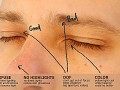
Getting good pictures for texturing
Textures Tutorial 2 commentsWhen creating textures, sometimes its good to use pictures as a base to work from for your textures - and today we've got some of our lead organic artist...

Photo to Seamless texture
Textures Tutorial 13 commentsHow to make a seamless/well tiling texture from a photo and add additional parts to make the texture "your own".
Mod SDK & Community
Built a game for CryENGINE 3 and want to support mods? Try mod.io, a cross-platform mod SDK created by ModDB which makes it easy to get a mod community up and running in-game. Currently seeking games to integrate and promote

Popular Tutorials
Photo to Seamless texture
Basic Textures
Creating HD Eyelashes for Characters
Intermediate Players Modelling
CryEngine 3 SDK (Sandbox) Tutorial part 9: the Rotate Transformation Tool [HD]
Basic Mapping/Technical
Cryengine 3 Tutorial - Custom Textures and Models using XSI Mod Tool
Basic Mapping/Technical
CryENGINE 3: Sandbox Basics
Intermediate Level Design/Theory
Getting good pictures for texturing
Basic Textures
CryEngine 3 SDK (Sandbox) Tutorial part 15: Layers [HD]
Basic Mapping/Technical
CryEngine 3 SDK (Sandbox) Tutorial part 12: Solid Objects and modeling
Basic Props Modelling
CryEngine 3 SDK (Sandbox) Tutorial part 8: the X,Y,Z Transformation tool [HD]
Basic Mapping/Technical