The Sundering: Rise of the Witch King Soundtrack


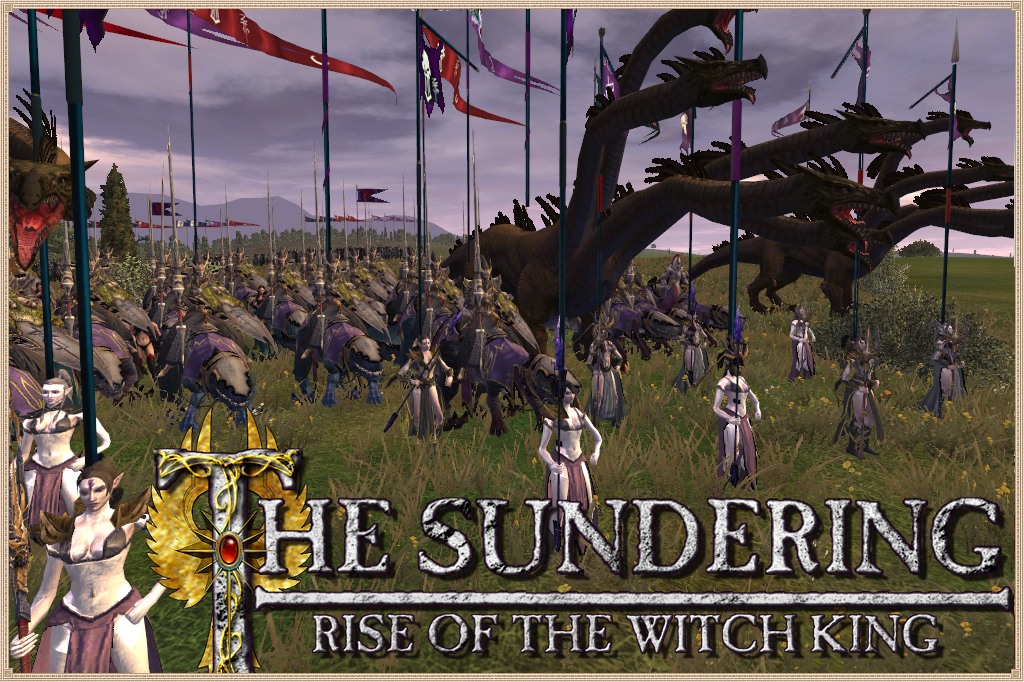
The Sundering: Rise of the Witch King is a mod for Medieval 2: Kingdoms and based around the fantasy world of Games Workshop's Warhammer universe during the civil war between the Elves.
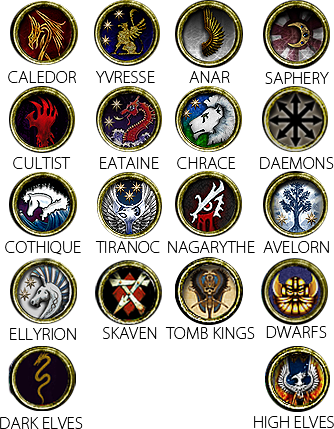
The mod's campaign opens with the Death of Bel Shanaar in -2751 IC. It features completely new units never before seen in a Medieval 2: Kingdoms mod, includen noble Griffon Riders, vile Hydras, and even the all powerful Dragon Princes of Caledor. Alongside these mystical creatures will be the Elves themselves, from the lowliest Elven Spear unit to the powerful Phoenix Guard, and from deranged Cultist to the Knights of Anlec.
Also included is a new strategic map of Ulthuan, the homeland of the Elves, including new models for Elven cities, generals, and monuments (such the Shrine of Asuryan). The campaign is an unscripted and epic journey through almost fifty years of the war that shattered the Elves forever, featuring new custom messages to fully immerse the player in the lore and culture of the Elves. Will you lead Nagarythe forward in it's bid to conquer Ulthuan and install Malekith as the new Phoenix King? Or will you lead one of the other nine Elven Kingdoms in their battle to protect their homelands? Or perhaps you will follow neither path and forge a new destiny for your people! The kingdom is yours to command, whether it be rich maritime Eataine or the martial powess of Caledor and its dragons. And while you forge a new empire for your people, you must be wary of the all corrupting influence of the Cults of Pleasure and Excess who would seek to undermine your position, though perhaps the Cults could be used to your own advantage if you play your cards right!
This is the most pivotal moment in Elven History, and one of the most destructive wars that the Warhammer universe has ever witnessed. You are now part of that history! Will you change that history for better or worse? That is for you to decide...

Articles
VERSION 0.69 RELEASED
VERSION 0.69 RELEASED

- New factions: Dark Elves and High Elves added to custom battles.
- New units (Dark Elves): Dreadlord, Cold One Chariot, Shades, Black Ark Corsair, Cold One Knights, Black Guard, Executioner, Assassin, Dark Elf Warrior.
- New units (High Elves): Swordmaster.
- New units (Orcs): Goblin Wolf Rider.
- New units (Chaos): Lord of Change, Plaguebeast, Warrior of Chaos.
- New units (Ellyrion): Horse Lord (mounted and dismounted), Warden of Ellyrion (dismounted ellyrian reaver), Harbinger (dismounted Ellyrian Knight).
- Other Reworked Units: Hydra, Sorceress, Morathi, White Lions, Lions Pack.
- New Strat Map models: Castles, Menhirs, Arches, Stones, Morathi.
- Gates of Ulthuan: They act as forts and will help you to defend the inner kingdoms.
- Bugfixes: Fixed a CTD after voting for a new Phoenix King. Princesses have now more action points. General aging fixed by GreatSword.
- New Sound Effects by Ngugi: New horn sounds, new voices, new SFX for spell casters.

 TheSundering_0_69 All parts - Torrent Mediafire TheSundering_0_69 All parts - Torrent GameFront TheSundering_0_69 All parts - Torrent MEGA
 TheSundering_0_69 Part 1 - ModDB Server
TheSundering_0_69 Part 2 - ModDB Server
TheSundering_0_69 Part 3 - ModDB Server
TheSundering_0_69 Part 4 - ModDB Server
TheSundering_0_69 Part 5 - ModDB Server
 TheSundering_0_69 Part 1 - MEGA
TheSundering_0_69 Part 2 - MEGA
TheSundering_0_69 Part 3 - MEGA
TheSundering_0_69 Part 4 - MEGA
TheSundering_0_69 Part 5 - MEGA
 The Sundering_0_69 Part 1 - Rapidshare
The Sundering_0_69 Part 2 - Rapidshare
The Sundering_0_69 Part 3 - Rapidshare
The Sundering_0_69 Part 4 - Rapidshare
The Sundering_0_69 Part 5 - Rapidshare
 The_Sundering_0_69_Part 1 - FreakShare
The_Sundering_0_69_Part 2 - FreakShare
The_Sundering_0_69_Part 3 - FreakShare
The_Sundering_0_69_Part 4 - FreakShare
The_Sundering_0_69_Part 5 - FreakShare

- Download all parts to the same folder
- Run the TheSundering.exe and let the installer do the job
- Make sure the path is correct (C:\Program Files (x86)\SEGA\Medieval II Total War\mods\The_Sundering) or wherever you have installed your game.
- If you are using Steam be sure to follow this tutorial to get the mod to work.

Problem: When I launch the executable it runs vanilla M2TW
Solution: You have chosen an invalid installation path. Please, reinstall the mod and make sure it's on it's properly folder.
Problem: Whenever I try and install the mod, a prompt requesting Disk 1.
Solution: Make sure the installation file's names are correct. They must be TheSundering_0_69.exe, TheSundering_0_69-1.bin, TheSundering_0_69-2.bin, TheSundering_0_69-3.bin and TheSundering_0_69-4.bin. Perhaps some of them have been changed to TheSundering_0_68-1.bin(1) or other name.
Hiring Custom Settlement Artists
News 7 commentsWe will pay for your works. We have decided to invest the donations money in this way, and hopefully we won't disappoint you. We are interested in both...
The Eagle Standard - Screenshot Competition
News 4 commentsTWC administrators have kindly offered us appear in this prestigious magazine and teach the community some funky images of the game. So we decided to...
Some info about the upcoming versions
News 6 commentsWe have not stoped working since the release of the 0.68 and we have already some things to show.
The Sundering: Rise of the Witch King 0.68 Released
News 16 commentsThis mod brings you right into the fighting while building your economy. Every single faction is unique in gameplay , focusing on different strenghts...
Files
The Sundering v0.69 Part 1 of 5
Full Version 12 comments1)Download all parts to the same folder 2)Run the TheSundering.exe and let the installer do the job 3)Make sure the path is correct (C:\Program Files...
The Sundering v0.69 Part 2 of 5
Full Version1)Download all parts to the same folder 2)Run the TheSundering.exe and let the installer do the job 3)Make sure the path is correct (C:\Program Files...
The Sundering v0.69 Part 3 of 5
Full Version 1 comment1)Download all parts to the same folder 2)Run the TheSundering.exe and let the installer do the job 3)Make sure the path is correct (C:\Program Files...
The Sundering v0.69 Part 4 of 5
Full Version1)Download all parts to the same folder 2)Run the TheSundering.exe and let the installer do the job 3)Make sure the path is correct (C:\Program Files...
The Sundering v0.69 Part 5 of 5
Full Version 6 comments1)Download all parts to the same folder 2)Run the TheSundering.exe and let the installer do the job 3)Make sure the path is correct (C:\Program Files...
The Sundering v0.69 All Parts Torrent
Full Version 17 commentsThe mirrors for Direct Download will be available soon.
Post a comment
Profile
Icon

Developer
The Sundering: Rise of the Witch KingContact
Send MessageHomepage
Tool-computers.comRelease date
Mod watch
Follow
X
Tags
Embed Buttons
Link to Warhammer - The Sundering: Rise of the Witch King by selecting a button and using the embed code provided more...


You may also like



So is this mod dead or did it possibly move to another site? Genuinely curious.
There are only two religions in this mod: the Cults of Pleasure and the worship of Asuryan? It's just that I also saw the icons of Isha, Lileath and Kurnous there, but these beliefs are nowhere to be found in the game.
Do you ever get to have Malekith as Naagarythe?
-Chaos units crash battles systematically
-Does Imrik/Caledor get Maedrethnir at some point ?
-In the cultist settlement next to Caledor's capital you can't build a shrine of Asurayan just a shrine of Khaine which is weird.
-Campaign AI seems really passive, turtleling in settlements and some settlements are left completely empty.
-Monster units run around the map like headless chicken leading to prolonged battles where you are just chasing the monster unit around the map.
The Chaos units that are crashing are giant demons?
That's a windows 10 issue because such units usually crash on Win 10 without the M2TWEOP-tool - this mod is from 2013 before most people used windows 10 so it works much better on win 7.
This comment is currently awaiting admin approval, join now to view.
This mod looks epic! When will you finish it tho? By the way, maybe you could join the multiplayer LOTR community based on this mod: https://www.moddb.com/mods/heroes-of-battle ? We desperately need more active players. Please consider it...
This comment is currently awaiting admin approval, join now to view.
how How can I play in the campaign with all the units of high elves?
You can't but it would be cool if the Pheonix King got Aragorn's beacon of hope recruitment system from DaC, recuiting a patchwork of loyalist elven units with the King would be extremely cool, making you feel like the King of Ulthan and not just Caledor