An7hraX is the main author of the modification, and the following files:
BlackNinja.tpf, BlackNinjaEyes.tpf, Damascus_night.tpf, Ezio Auditore De Firenze.tpf, Red_Livery_Assassine_Version_1.tpf, Red_Livery_Assassine_Version_2.tpf.
.forge file extractor/replacer was created by Turfster.
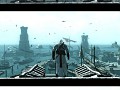
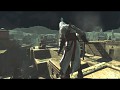
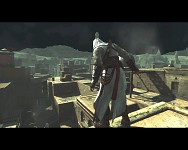
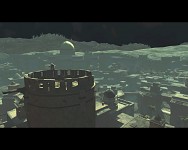
Jerusalem_night.tpf is an own work not created by any of the above authors, and a night skybox textures uses Sed-rah-Stock's picture.
The mod installation guide
This mod is only for PC version of Assassin's Creed.
Articles
Click below to download Jerusalem at night release:
Jerusalem at night download
Contains a .tpf file that lets you play Jerusalem at night. Source textures are also included. Uses a night sky texture based on a photo by Sed-rah-Stock, particularly this one:
Sed-rah-stock.deviantart.com
Also a tutorial how to make your own texture modifications was written, you can head to Tutorials section to view it:
How to extract & replace textures tutorial
For additional tips you can ask at the main mod profile (comments box).
The mod installation guide
Other TutorialHow to install/run the texture modification - how to use the Texmod program.
How to use Texmod?
Other Tutorial 9 commentsA tutorial showing how to extract textures from Assassin's Creed I, and then how to replace them with your own.
Files
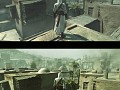
Cell shading, bloom effects and colour correction
Full Version 6 commentsA modpack by by An7hraX. To install colour correction / cell shading, you simply need to paste appropriate folder contents (e.g. "ColorCorrection") to...
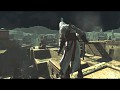
Jerusalem at night
Full Version 2 commentsContains a .tpf file that lets you play Jerusalem at night. Source textures and a tutorial how to make your own mods also included. Uses a night sky texture...
.forge extractor/replacer by Turfster
Archive Tool 27 commentsData/files extractor for Assassin's Creed and Assassin's Creed II and some other games using Scimitar engine. It's also capable of replacing archived...
A pack of wallpapers for AC1 fans! ;-)
Wallpaper1280x1024, 800x600. Shots from the mod for Assassin's Creed.
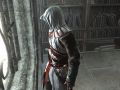
Texmod, clothes' mod for Assassin's Creed
Full Version 12 commentsAltaïr clothes' skin/texture mod made by An7hraX. This mod works only for the PC version. Contains also these textures: BlackNinja.tpf, BlackNinjaEyes.tpf...
Post a comment
Profile
Icon

Game
Assassin's CreedCreator
feillyneContact
Send MessageHomepage
Youtube.comRelease date
Mod watch
Follow
X
Tags
Embed Buttons
Link to Simple texture mod by selecting a button and using the embed code provided more...




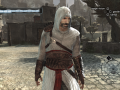

Hello I have a question : is that Ezio Auditore costume and other costumes will be available only after having completed the sequense 6 and why the Altair costume student works from the beginning of the game.
my ac will be beautyfull
i can only install either cell shading or color correction? cuz when i install both of them they just overwrite each other
Yep, only one of them. You can customise your effects by editing enbseries.ini (you can open this .ini file with Notepad or any other text editor).
ummm, I've seen youtube movies with this mod, and it worked fine, but mine doesn't in fact, its the mods that came in the pack that didn't work, and I really want black ninja and damascus at night, so right now I'm just using the darkassassin mod from vivisecta help plz?
The Texmod presented here uses DirectX. Is everything okay with it? Have you tried Texmods modifications for other games, and have they worked well?
Heyy. i really want to use this but whenever i try the only thing i can get to work is the ninja eyes but i really want the whole black ninja outfit and the ezio.
when i load the ninja outfit i highlight both the files and press ok and then run and load memory block 6 but nothing changes except for altairs face.
can you please tell me how to get this working.
I think I can explain, even though you may have found the answer.
Since Assassin's Creed, after the story, is a free roaming game, the idea of the mods is to make them permanent after the story.
But in the story, you start out with the original clothes, then lose them all, only to gain them back by maybe Mem Block 6. The full suit is what the mod is designed to work for.
Complete Mem Block 6, then try the clothes mods.
finally got this to work yeah!!!!
ezio auditore for the win!!!
but can it work with damascus at night??
i can only select one mod....
suggestion to whoever made this mod.....
could you maybe combine the ezio mod with the red livery #2
ezio hood and torso,red livery leggings and arms?
Yup, you can add Damascus_night.tpf, since it doesn't change Altaïr's clothes. It'll be loaded even in other memories.