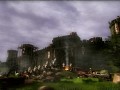
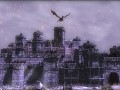
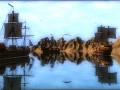
Dawn of Fantasy is one of the first full 3D MMORTS title with real-time siege combat. Offering an evolving online environment, in which you will be gathering resources, constructing buildings and walls, directing your citizens, completing quests in the service of mighty nobles and fiendish rogues, and managing your economy - all within an online realm that grows, works, lives, and breathes even when you log off. All this is glorious 3d world with stunning level of detail and epic scale - with vibrant towns and thousand strong armies. And of-course let’s not forget the glorious siege battles all in real-time! Developed by Reverie World Studios, Dawn of Fantasy is the result of several years of hard work by a new Toronto based studio, with members all over the world contributing in their spare time.

Articles
Reverie World Studios is happy to announce the release of Dawn of Fantasy newest expansion pack - titled Homeland Expansion! We would like to welcome you to the new Dawn of Fantasy experience. This expansion combines weeks of work into the largest patch we ever released - bringing you over thirty new features, and countless fixes and improvements.
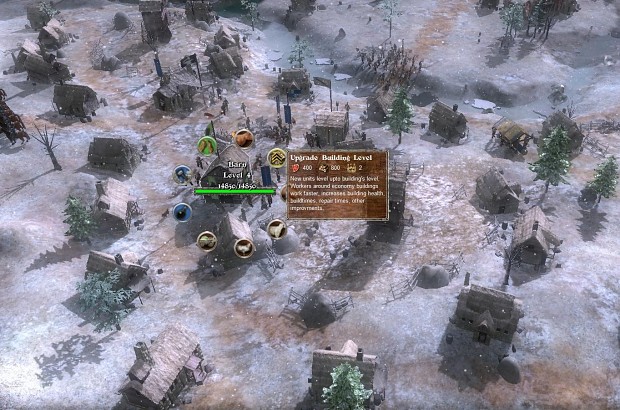
This expansion comes with an impressive set of major features:
- Homeland expanded with three times as many houses and buildings
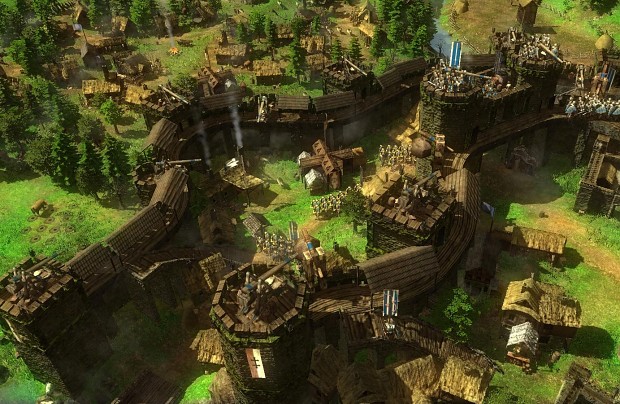
- New guard towers and stand alone keep structures for your homeland
- Unique building and walls texture set for each region
- Brand new winter textures theme
- Level up your buildings to increase their stats and to train units cheaper and faster
- Higher game resolution adjusted for a better looking user interface
- Greatly improved chat client
- Nearly twenty new achievements
Please note that with an expansion of this magnitude there bound to be some unforeseen issues and new bugs… We`ll be sure to correct them early next week, and if you come across a new issue please help us by reporting it on the forums.
Meanwhile our design team continues the work with another busy month ahead. Check back here next week for our Desura exclusive preview of the new things to come.

Dawn of Fantasy Holiday Event!
NewsIt`s a festive season for Dawn of Fantasy fans everywhere! In celebration of the holidays, the recently released MMORTS, Dawn of Fantasy, has been given...
Achievements and Profile Updates
NewsReverie World is happy to announce exciting addition to Dawn of Fantasy - brand new Achievements system and other awesome Player Profile features. At...
End of the World Expansion Released!
News 7 commentsThe End of the World is finally here! Reverie World is proud to announce the release of the “End of the World “ expansion event for its siege combat...
The End of the World is coming!
News 1 commentReverie World Studios has announced plans for the imminent expansion event to their flagship MMORTS game - Dawn of Fantasy. Due to start next week this...
Post a comment
Profile
Icon

Platforms
WindowsDeveloper
Reverie World StudiosEngine
CustomContact
Send MessageHomepage
Dawnoffantasy.comRelease date
Game watch
Follow
Style
X
Tags
Embed Buttons
Link to Dawn of Fantasy: Kingdom Wars by selecting a button and using the embed code provided more...



You may also like
Warcraft III: Reign of Chaos
Real Time Strategy
Age of Empires III
Real Time Strategy
Warlords Battlecry III
Real Time Strategy

Warcraft III: Reforged
Real Time Strategy
Age of Mythology: The Titans
Real Time Strategy
Battle for Middle-earth
Real Time Strategy
Hi there, I'm a 3D character artist and wanted to ask whether you currently require any 3D artists on your team? If so, please view my work at: Philipmehr.tumblr.com
Thanks and keep up the great work!
i want to buy this game but my graphic card is a 9400 gt card nvidia. will i be able to play it
This comment is currently awaiting admin approval, join now to view.
This comment is currently awaiting admin approval, join now to view.
Save your money, this game is a complete rip off.
I was an early adopter of this game, and I still have not ever been ablt to play.
First time I installed the authentication servers where screwed up...
Now every time i try to install and play it teklls me INVALID password... so I try to do password recovery- No account!... Try to contact tech support and NOTHING!
Seriously... Do not waste your money or time on this game. Buy Stronghold or any other WORKING game.
Wow! the dev's have contacted steam and have tried to get me banned for complaining about this game.
Gee... So rather than try and fix their game, they are going to go around and try "silenceing" people.
They told steam support that my account was a spam bot. Steam contacted me to make sure I was a human and stopped the ban.
All I did wrong was give thease guys money for a game.... They ripped me off, I complain and they go around trying to trash my accounts.
Seriously, DO NOT BUY THIS GAME... The developers might turn on you and try getting your steam account banned if you complain about the game.
Ya i am going to go with you being a self entitled person with no concept of how to get help.
Hint flapping your arms around calling the person you want help from a fraud will get you nothing but a cold silence..... your hear it? that is right, nothing.
Reverie World Studios is hiring, you can find more information at the following website:
Reverieworld.com
Oh cool, so some kid can slave for free for you. This is not employment if you are not going to pay them, it is called slavery.
Conning kids into being free forum mods is pretty dispicible.
Just goes tho show that is company spares no expense to rip off kids.
dude, maybe insulting the game people will lessen your chances of getting your key recovered. and by the way, this game is totally as fun as strongholds.