This is a simple guide on how to mount the .fgd file for the needed entities. Let's begin with launching Source SDK which can be found under the Tools tab in the Steam interface.
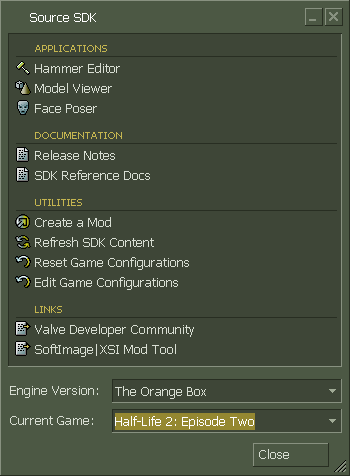
Click on "Edit Game Configurations"
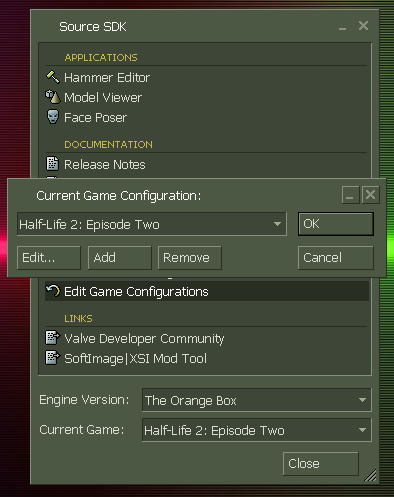
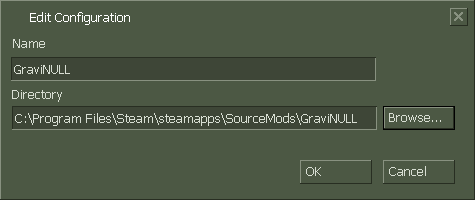
Press "Add". And under name put in GraviNULL and press browse and find the directory "steamapps/sourcemods/gravinull". Press OK
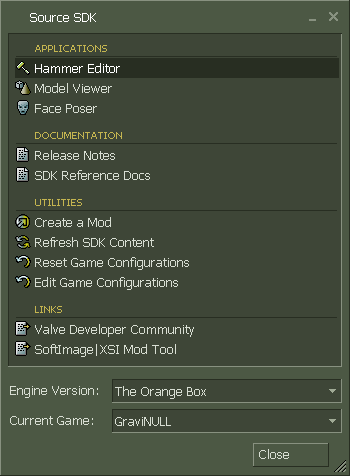
Now make sure you have selected "Current Game: GraviNULL" on the bottom of the Source SDK window. After checking, run "Hammer Editor".
Wait for hammer to load and go to "Tools > Options...". Make sure you have GraviNULL selected, and press "Add".
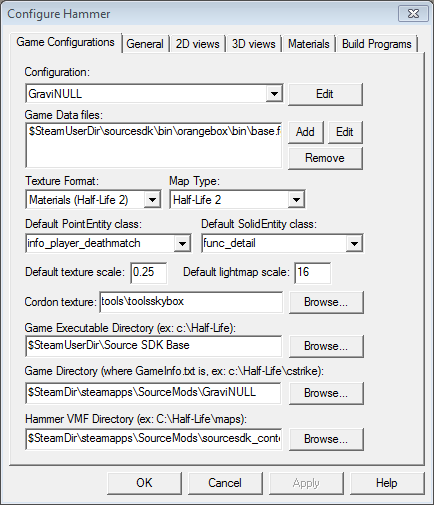
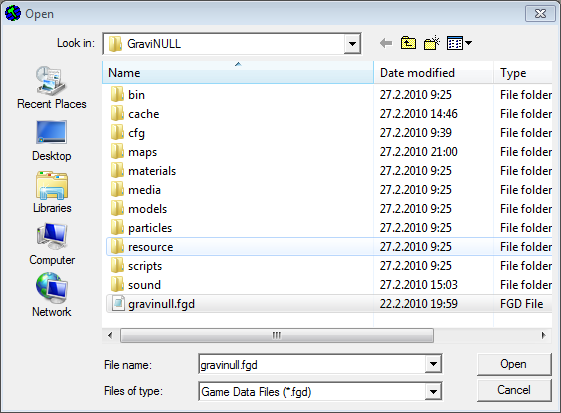
Now you have to find the gravinull.fgd file which is by default located in the "steamapps/SourceMods/GraviNULL" folder. When you found it select it and press OK.
Some usefull entity stuff to know for most gamemodes would be:
- info_player_deathmatch: spawn points
- item_mine: obvious
- item_grapple_anchor: the wall mounted solid anchors with the glowing green light
- item_air_grapple_anchor: the holographic non solid anchors as seen in hz_twirls.
- item_deadly_anchor: A mean lean killing machine, it doesn't move from it's spot and can be grappled like normal anchors, can deal 10-100 damage depending on chosen setting.
- item_grapple_ball: a sort of mine that can be used for a variety of things, non lethal.
- gn_map_info: the only thing that it can do at the time of writing is set a "launch" speed for players on spawn, doesn't work during countdown on map start.
To turn your gamemode into Hazard mode you have to place a trigger_finish brush entity, then set the lap amount to 1, this will automatically turn it into Hazard.
It is also recommended to change the prefix of the map(gn_) to (hz_) if it's a hazard mode, this way it can be picked up if it's in the server's map rotation as a Hazard map(will switch to Hazard if there's only 1 active player in the server)
Race mode is also included in the beta version, if the amount of laps of the trigger_finish is more than 1 then race mode will be the active mode. It is recommended to have a map prefix of (rc_) instead of (gn_) like with Hazard(see above).
There are some other entities that you need to be aware of to make a succesfull race map:
- trigger_checkpoint: There should be 2 or 3 per map, these prevent players from cheating the finish, do not forget to set the checkpoint numbers.
- trigger_push: these can function as a speed booster for players. Use:
- gn_speed_boost: a representation of the presence of trigger_push.
Happy mapping!

works.
I shall begin to make a gravinullers paradise, now.