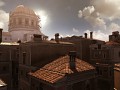
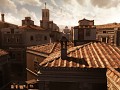
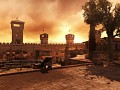
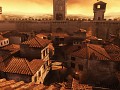
ColourCorrection Brotherhood, ENB Series mod
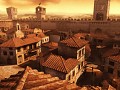
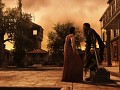
Full Version 6 commentsA simple DirectX ENB series mod for Assassin's Creed: Brotherhood, aiming for colour correction. ENB Series developer: Vorontsov Boris. ColourCorrection...
A simple DirectX ENB series mod for Assassin's Creed I, aiming for colour correction.
ENB Series developer: Vorontsov Boris
ColourCorrection preset developer: An7hraX
No articles were found matching the criteria specified. We suggest you try the article list with no filter applied, to browse all available. Join now to share your own content, we welcome creators and consumers alike and look forward to your comments.
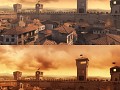
A simple DirectX ENB series mod for Assassin's Creed: Brotherhood, aiming for colour correction. ENB Series developer: Vorontsov Boris. ColourCorrection...

A mod in development for Mount & Blade Warband with Wenches, Mead, Sailing, ARRRRR.....and fish.

Q: How to get chybby? (chumtoad,chubby,chubtoad,toad,chub) O: sv_cheats 1 and restart(restart if not killed immediately sv_cheats 1) and give weapon_toad...
VGUI Spawn Menu for many Source games and mods. Singleplayer/Multiplayer/Coop. Development is still going on. Please suggest me your ideas and report...

This will enhance a realistic lighting effect in your game mainly.It will Also add some similar effect to Ambient Occlusion to give realism in shadowing...

Pax Romana is a HOI4 mod that takes you to the period in history known as Pax Romana(The Roman Peace). You can play as all kinds of countries spanning...




Can Someone explain how to put this on a disc copy of the game. Does it go in my folder?
that graphics
Just downloaded this to try it out and already have an problem running it.
The thing is that this mod needs the dx9 version of the game running as I understand but where can I change the dx version that the game uses as my current installation runs on dx 10 or 11 and not 9.
I also searched for an option ingame and in the ini of it but didn't find it, can someone please tell me what I could do?
Hmmm, tested it on Windows 7 and it works fine. You know, these ColourCorrection mods run only on DirectX 9, IIRC.
This mod was made for DirectX 9 version of Assassin's Creed I, originally...
well I have an dx 11 card build in my PC and use it when I have a game that supports dx 11, wasn't ACB on dx 9 and only the First AC on dx 10?
Even if not I can't find an option anywhere in the game or the ini to change that.
Okay have gotten it to show results ingame.
Now it gets on to the tuning the ini, could someone post an optimized setting for this that would make the white gradient a little bit better or is that not possible with this mod?
Did you find the white gradient removal mod? Its here on moddb
Ok, i tested this for about 4 days now. First conclusions:
It really does help in the subject of washed out images (especially upper half of the screen or when looking down). Default colour correction settings bring a very RED image (i'd call it over-saturated if u wish), so i had to experiment by either increasing the brightness or decreasing color correction. Problem is that Ezio ends up very red or dark no matter what, even when other textures are light and nice.
Am i missing something?
All the other settings (besides color correction)at the enbseries.ini play no role at all? That's what i understood from the readme file.
What settings are you guys using?
Just a suggestion an it may help people decide if they want your mod or not, but for your images, you should put the originals next to them; Before an After.
They are already there: Moddb.com