Adaptive Event-Driven Slomo 1.1
Full Version1) Backup the Oblivion.ini (located at My Games\Oblivion) 2) Place the file to Data folder 3) Activate the plugin from Launcher 4) Customize it from game...
Can conflict with any mod that changes game speed
Install
1) You need OBSE ( Obse.silverlock.org)
2) Backup the Oblivion.ini (C:\Users\...\Documents\My Games\Oblivion)
3) Copy to Oblivion\Data folder and activate the plugin
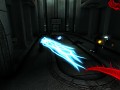
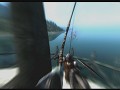
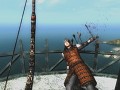
When the event occured (such as enemy death), the script begins to track the battle situation and sets the appropriate game speed (if there is enough "probabillity").
Probability depends on several factors, such as health, weapon damage, number of enemies, agility level, count of slomo "failures", etc
Slomo speed also depends on some variables and can be different in different sutiations.
Events:
- Enemy death
- Player attacks
- Enemy is recoiling
- Block
- Player release arrow
- Player is healing in combat with low health while enemy is performing the attack
- Stealth attack
- Entering the battle mode
- Jumping from high places
There is a trick that can make ragdolls move more smoothly in slomo, but some glitches can occur. You can change Oblivion.ini, if you want:
Default mode ("broken" movement)
[HAVOK]
iUpdateType=0
Smooth mode
[HAVOK]
iUpdateType=10
Sorry. There will be no support for this plugin, because I'm no longer work with Oblivion. However, I think that it would be nice to share this plugin with more people.
Please, feel free to modify the file as you want. You can also use parts of the "SlowMotion" script in your own mods.
To promote Adaptive Event-Driven Slomo and grow its popularity (top mods), use the embed code provided on your homepage, blog, forums and elsewhere you desire. Or try our widget.



No articles were found matching the criteria specified. We suggest you try the article list with no filter applied, to browse all available. Post article and help us achieve our mission of showcasing the best content from all developers. Join now to share your own content, we welcome creators and consumers alike and look forward to your comments.

1) Backup the Oblivion.ini (located at My Games\Oblivion) 2) Place the file to Data folder 3) Activate the plugin from Launcher 4) Customize it from game...
Tamriel Rebuilt is a community mod project which aims to recreate portions of The Elder Scrolls universe. We are currently developing the province of...
This is an update to the Akatosh Mount mod. This mod adds a ridable dragon to the game.
Total Conversion for Oblivion: "Nehrim - At Fate's Edge" is a finished Total Conversion for the RPG The Elder Scrolls IV: Oblivion. That means it is a...
