





Science Fiction Fans
784 members Arts & LiteratureA group for all ModDB and IndieDB fans of science fiction.
Vosla does some arts (comic) and voice acting (german & english). Otherwise he is quite unremarkable except for the amounts of Cola and pizza he consumes.

A group for all ModDB and IndieDB fans of science fiction.

As for us. There are ashes, to build our freedom. Only if... there are some bright minds left, we will fight a war with misery. Fans of dystopian world...
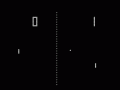
This is a Group for all peole into really old school games, people who love the games that started it all such as pong, spacewar, Computer space, life...


Happy christmas, Vosla!
Wow. The comments are completely messed up. Nice job, ModDB.
Why hello there Fosla!.
Fosla => Frustrated-One-Sided-Lovers-Association ? ;-)
Never heard of them.
I don't think such association exists TBH.
Can I use the textures you have posted up here?
It's not a public project, It's mostly just for me, but if I'll decide to release, I'll hive credits, I promise :)
Sure you can use them. They are more like examples and I used stock textures of metals and stuff for base material.
Also, if you are really 42 years old, you could be my DAD!(in terms of age)
I'm really in my fourties. Well, you wouldn't notice until you see the grey hairs in my beard or my antique views on netiquette.
Antique views on netiquette are usually the proper views. Like frowning upon the use of html in emails. We all know that tags like *bold* and /italic/ are a lot lighter and just as effective in mails, <strong>bold</strong> is just wrong in a mail, don't you think?
I don't really care as long there are no wriggly GIFs or other imbedded stuff I get eye-cancer from. BUT anything scriptlike gets the instant ban-hammer.
I spent too much time delousing PCs for other people because of that sort of sh*t.
That delousing is another important reason why Netiquette rules are good to be lived be, esp for the Unenlightened. I don't process my email in the most popular OS, so that is no issue here.
What I don't understand is why in a good client like ThunderBird, for some time I need to turn off html mail, while the devs know how much bad can come out of that, when the client is in the hands of a newbie (= oblivious to netiquette)
Now you are mixing a social behaviour rule set (netiquette) with common sense in technical expertise (or lack of). No offense.
I do know a lot of newbs who are living netiquette without even knowing the word itself - still they are technically fair game for everything foul in the net because they lack basic security knowledge.