(1)
1a)Open up hammer and create a basic room. (Including a player start and appropriate lighting).
1b)Locate the "asw_holdout_mode" entity and place it in your map. (NOTE: it doesn't really matter where you put it, just place it somewhere convenient).
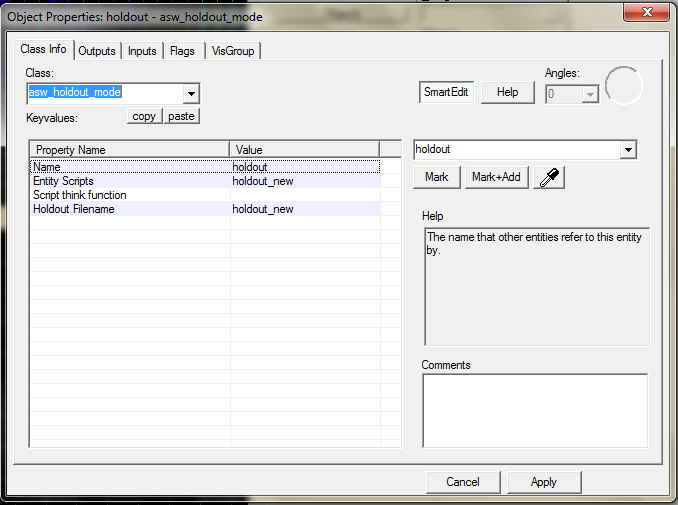

(2)
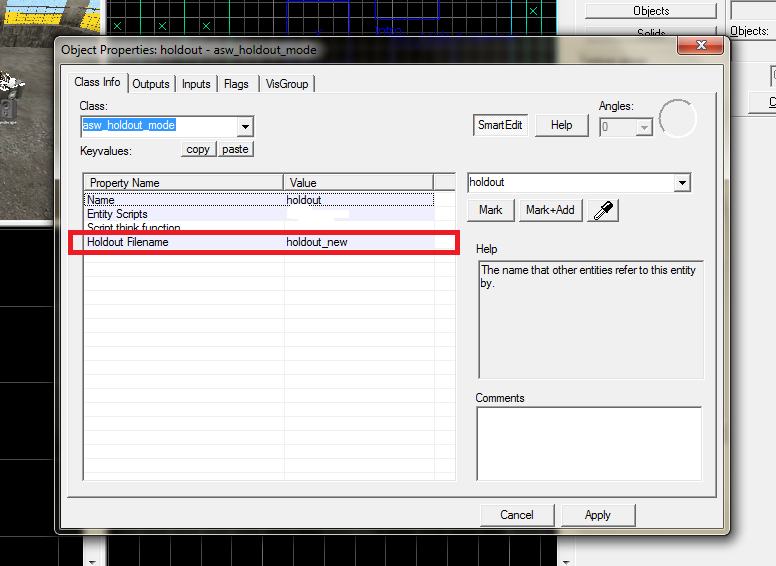
2a)You will see the option "Holdout Filename".
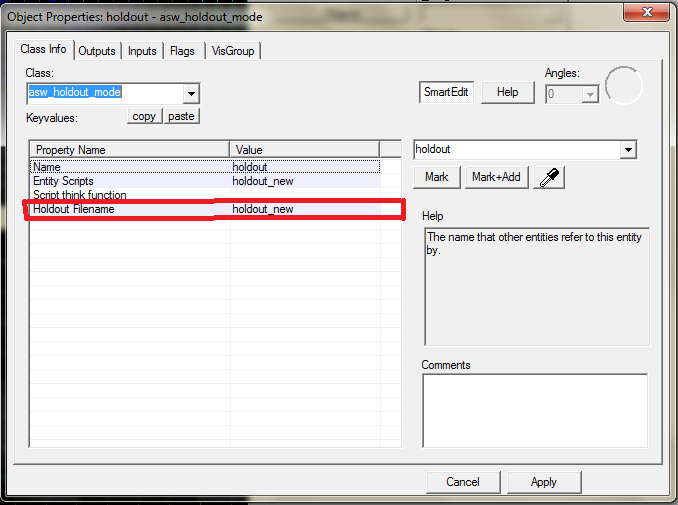
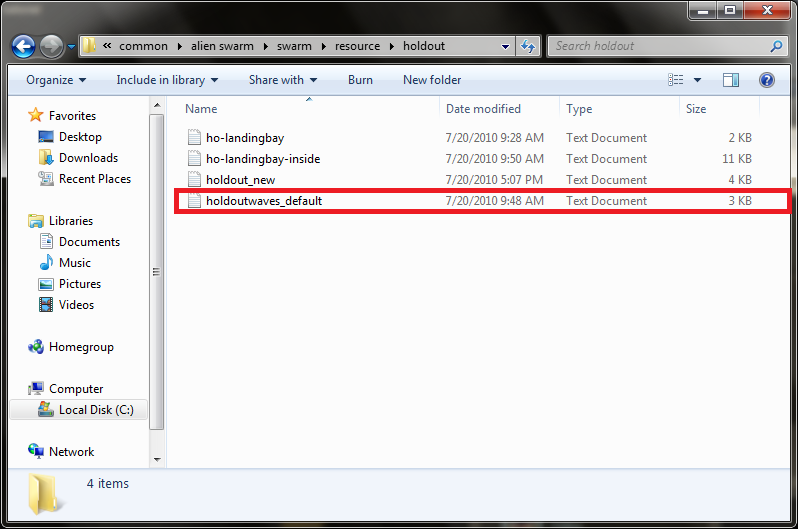
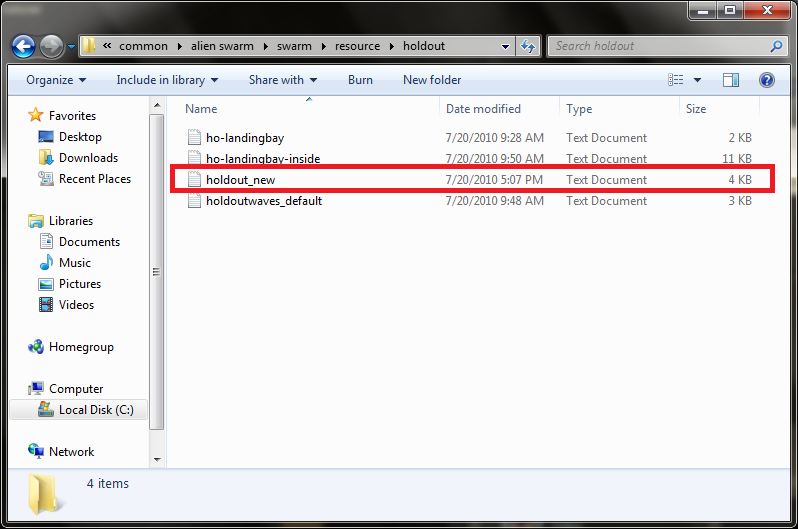
2b)These files can be found in "C:\Program Files\Steam\steamapps\common\alien swarm\swarm\resource\holdout".

2c)Open the file "holdoutwaves_default".
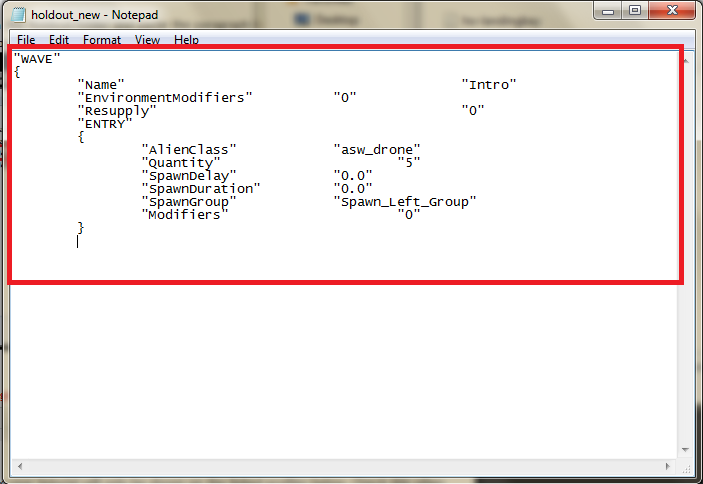
Here's an example of the first paragraph:
"WAVE"
{
"Name" "Intro"
"EnvironmentModifiers" "0"
"Resupply" "1"
"ENTRY"
{
"AlienClass" "asw_drone"
"Quantity" "5"
"SpawnDelay" "0.0"
"SpawnDuration" "0.0"
"SpawnGroup" "Spawn_Left_Group"
"Modifiers" "0"
}
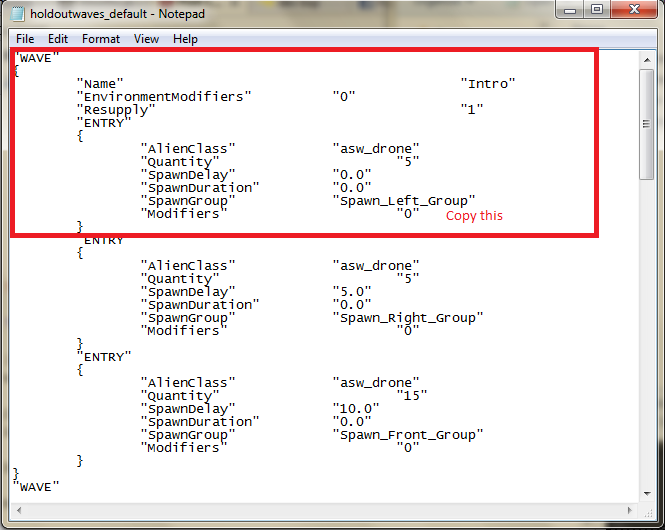
The bit in red is the name of the "asw_spawn_group" entity that needs to be placed in your map.
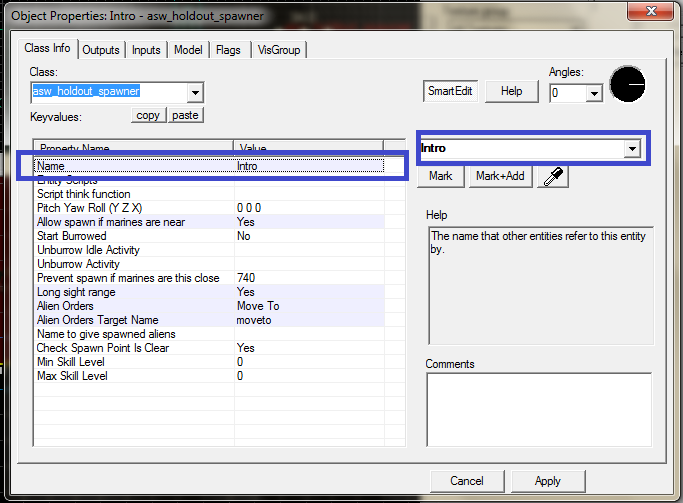
The bit in blue is the name of the "asw_holdout_spawner" that needs to be placed in your map.
2d)Create a text file in the Holdout folder and paste the paragraph in. Then insert the name of the text file into the "Holdout Filename" field in hammer.
(3)
3a)Make a "asw_spawn_group" using the name provided.
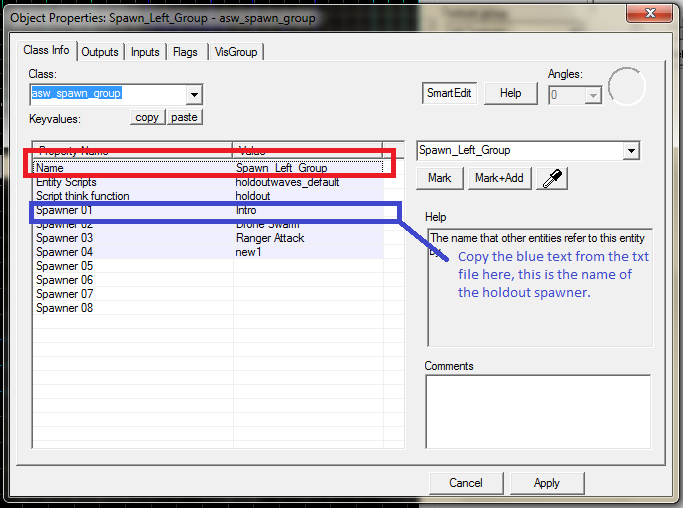

3b)Make a "asw_holdout_spawner" using the name provided. (Make sure it is situated near the spawn group, this is where the Aliens will spawn).

VIDEO EXAMPLE:
Hard to explain but i hope you understand :P.
To make more waves you just make a duplicate of the paragraph.alter the value in blue in the text file, make a duplicate of the "asw_holdout_spawner" and make sure that the values match up. Then enter the name of the next wave, (the name of the holdout spawner) ,into the "Spawner 02" field in the "asw_spawn_group" entity.
Example VMF:
Speedyshare.com



Hrm, this will certainly save me the time of making a full campaign, but I'll still be satisfied that I contributed something to the game. That's a mighty fine tutorial, nice work man...
Sweet, I can't wait for some new custom maps.
Ah thanks mate, this will make things a lot more fun :]
Wow, really nice tutorial, with screens and a video, thanks!
Thanks a lot. Making game modes for this will be a blast!
if i can only find a computer fast enough.
My computer is fast enough, come over to my house and plaaaay.
Many posts on my end xD
However; I was inspired by this map and I have created a larger scale version with a few personal tweaks. Really great tut btw, helped out a lot!
I27.tinypic.com
I28.tinypic.com
I28.tinypic.com
I30.tinypic.com
I30.tinypic.com
It's still a WIP, but thanks again!
looks Great. I love the Lighting :D
SpooBoy, howd u get those Metal Grates and such?? Im making a Holdout Map based off this one and i cant find good Materials/Textures like that
I need help... I made Spawners Exactly like this tutorial. I made the map all works but when they spawn they dont run to the players... I have doors in the way so its more of a "Survival" aspect but they dont seem to go near them or up the stairs..
More tutorials like this would be appreciative but , it would be more appreciating if all that was done in a video instead of screenshot and text.
you have got to make a Starship Troopers map for this mod it would be so perfect. The outpost from the movie would be good inspiration
@japels
if you find some images from above i'll might make it