Well, Muzzleflashs are always cool, but I often see that people dont know how to make them, and I want to change that ;)
Lets get started!
Okay, open a new image, lets say 256x256 pixels
Make the background black, and add a white spot on a new layer

Now use the smudge tool to give it some shape
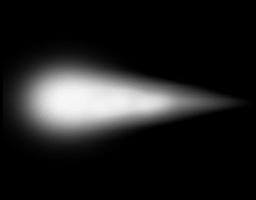
Now add some detail, also using the smudge tool
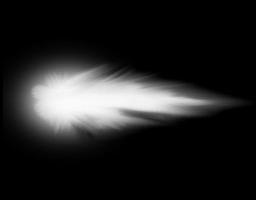
Now make 2 new layers and fill them with clouds , play around with the blending mode and opacity
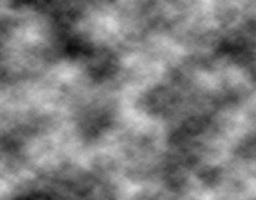
Blending Mode: Merge
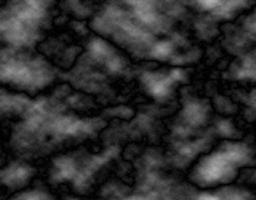
Blending Mode: Soft Light / Opacity: 55%
This is what you get
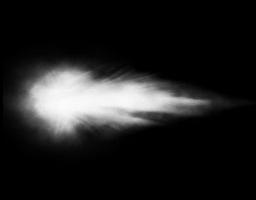
And now the last step: add color ;)
Make a new layer and set its blending mode to "color"


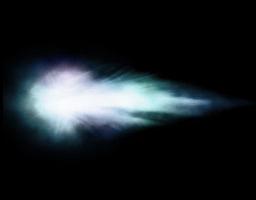
PSD: Greyfoxstudios.de
This is what you get in the end, now you see how very simple it is to make Muzzleflashs. It only took me a few minutes !
-FoxDF
Awsome toutorial, how do i get it ingame?
WHAT IF I DON'T HAVE PHOTOSHOP EH
Then your ****** :P
Nah, it should work also with GIMP, but im not sure
nice one
btw, it isent fill mode but blend(ing) mode
thanks =)
edited it @ Dark_Raver9
Oh, nice tutorial.:D
Good stuff, ive tryed somthing simulair, but it just got to static. This worked though. :)
Yea am really new to this stuff but am having trouble completing the blending thing.
Nice one but you should explain things more couse some people don't know some tools... for example, i didn't remembered what was the smudge tool...
@Chuto: well, the smudge tool is something basic in ps, everyone who wants to do effects should know it o.O
1. Select eleptical marquee tool.
2. Set "Feather" to about 40px (more for a more faded effect).
3. Fill selection with white.
ummm... more like use the brush
I did this with Paint Shop Pro....its not that hard guys. The trick to it is taking it into your own hands and adding your own creative touch to it. You'll usually end up with something more pleasing to yourself than the tutorial.
Great tutorial!