This Is Not My Work. Credits Go to HideInLight for figuring this out, and ToCA EDIT for creating the xbox controller EMU.
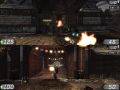
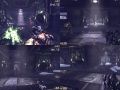
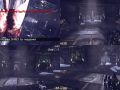
This Mod/code gives you the ability to unlock the splitscreen code left in the game from the PS3 release. To play this you need a controller (doesn't have to be Xbox 360). I am explaining how to do this so as to help advance this little mod (If you can please make it a mutator), as well as to bring it to a wider audience.
By default you are Player0
So if you want to add more players without messing up the controls or crashing the game type these into console (tab default).
DebugCreatePlayer 1
DebugCreatePlayer 2
DebugCreatePlayer 3
If you want to remove a player do this:
DebugRemovePlayer 1
DebugRemovePlayer 2
DebugRemovePlayer 3
depending on which player you want to remove(never remove or add player0)
Use "SSSwapcontrollers" to switch the player controlled by player 1. this is useful for testing out the splitscreen.
Now to set up your controllers: if you have an xbox 360 controller follow this tutorial Pcsplitscreen.freehostia.com
If you do not have a 360 controller, download the Emulater from this website Tocaedit.com
go into the "xbox360cemu.ini" file in the "xboxcontrolleremu" file that you download from tocaedit, and set up the buttons as you want them to be set.
If you only have 1 controller then change where it says [PAD1] to say [PAD2] and vice versa.
copy xinput1_3.dll, xbox360cemu.ini and dinput8.dll into your game directory. start the game, debugcreateplayer 1 and you should be able to play splitscreen.
This should also work in all UT3 mods, you just have to toggle the input.cfg file to suit the button set up
Make sure your screen percentage is set to 100% or it will appear blank.
If i have left anything out (or if you have figured more out) please let me know.
ENJOY
Ps. There Is a similar code/hack for Left 4 Dead which can be found here Moddb.com
Articles
No articles were found matching the criteria specified. We suggest you try the article list with no filter applied, to browse all available. Post article and help us achieve our mission of showcasing the best content from all developers. Join now to share your own content, we welcome creators and consumers alike and look forward to your comments.
Files
No files were found matching the criteria specified. We suggest you try the file list with no filter applied, to browse all available. Add file and help us achieve our mission of showcasing the best content from all developers. Join now to share your own content, we welcome creators and consumers alike and look forward to your comments.
Post a comment
Profile
Icon

Game
Unreal Tournament 3Creator
Trans-FatContact
Send MessageHomepage
Gearsforums.epicgames.comRelease date
Mod watch
Follow
X
Tags
Embed Buttons
Link to Unreal Tournament 3 Splitscreen PC by selecting a button and using the embed code provided more...



This is what i did after some hours finding out and it works finally:
1.Open Xbox360cemu.ini after you copied your xboxemulator files into Binaries folder from downloaded folder named: x360_emulator_302.
CHANGES:
[PAD2]
Index=0
Left Analog X=1
Left Analog Y=-2
Right Analog X=3
Right Analog Y=-6
Left Shoulder=10
Right Shoulder=9
Back=11
Start=12
Left Thumb=7
Right Thumb=8
Left Trigger=6
Right Trigger=5
Then save it.
2. Then i run the game and pressed tab and wrote: DebugCreatePlayer 1
and after that it worked!
My controller is Logitech btw :D
Hope now you all cant have trouble like i had :)
Can i play with one xbox controller and one keyboard and mouse? (btw i also have a playstation controller but it isn't compatible) if i can play like that then how because when i try to play like that the keyboard and mouse is player 1 and the xbox controller is also player 1. any help please i would really like that (because i have a friend that wants to play UT3 but doesn't have it)
Do the changes i said up in a description and you can play it with controller and keyboard + mouse with your friend together :)
Love the models...
Is it working with bot matches like I'm starting a bot match then spawn player 1 (second player) and then on the same team or something like that...
split screen wooww
great
Pantalla dividida
genial
how can player 2 change his model/character? pls reply and thx for this awesome mod
Ok so is there a way that i can use one keyboard and then use 1 Microsoft Xbox 360 Controller. However when i do this i need to have a second controller plugged in, in order for one of them to register under the new player that was created.
How do i set it so player 0 is keyboard and mouse, and player 1 is for the controller?
try joyid. i have never used it, but i am fairly sure it works with a 360 controller, try the forum listed as the homepage, might get more help there.
Awesome mod, probably the best one around !!
Any idea how to use 2 keyboards at the same time as I'm lacking controllers for a 4 player match ?? :P