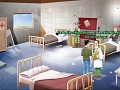
You wake up in a hospital with no memories... You are in Buenos Aires in year 2035 and the city is under the control of a military organization. Suddenly, you realize that your life is in danger and that you need to escape as fast as possible. What would you do faced with such a situation? Find out in Reversion - The Escape, the first chapter of a graphic science-fiction adventure in point’n’click.



Articles
You can help us greatly if you have a Steam user and could vote for our game on Greenlight.
Vote for us by jumping to this link :)
Steamcommunity.com

Great News about Reversion
NewsReversion - The Escape is now released for the Linux platform, we are supporting the Polish Language and Reversion - The Meeting is 75% off to celebrate...

Reversion - The Escape & Reversion - The Meeting!
News 1 commentWe have just uploaded a new version of the game. This time with Latvian support and some English voices mistakes fixed. We have also release the second...

Reversion - The Escape with full English Voiceovers
News 2 commentsA new version of Reversion - The Escape is Online. This time with full English Voiceovers.

Reversion - The Escape. New Release!
News 2 commentsA new Release of Reversion - The Escape is now online!
Files

Reversion: Chapter I - The Escape
Full Version 3 commentsMajor update! - Improved English Subtitles. - Subtitles in 7 different Languages: Spanish, English, German, Italian, French, Simplified Chinese, Portuguese...
Post a comment
Profile
Icon

Developer & Publisher
3f InteractiveEngine
WintermuteContact
Send MessageHomepage
Reversion-eljuego.com.arRelease date
Game watch
Follow
Style
Series

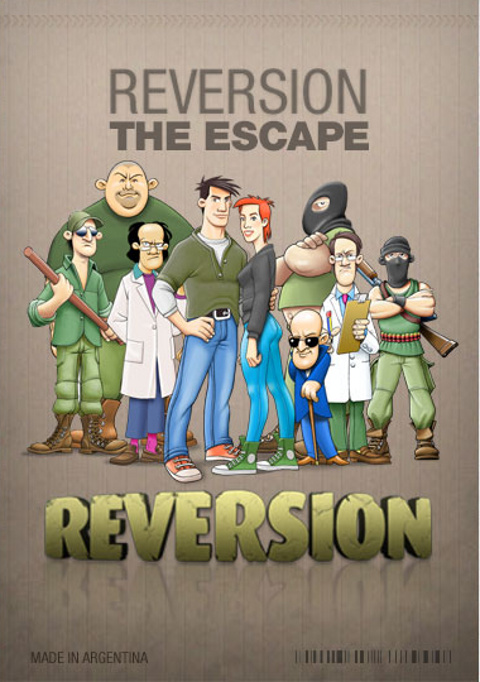
Reversion - The Escape (1st Chapter)
Point and Click

Reversion - The Meeting (2nd Chapter)
Point and Click
X
Tags
Embed Buttons
Link to Reversion - The Escape (1st Chapter) by selecting a button and using the embed code provided more...



You may also like

Outpost 13
Point and Click
Beneath a Steel Sky
Point and Click

Planet Clicker 2
Point and Click

Murder On Space Station 52
Point and Click

Chuck Jones: Space Cop of the Future
Point and Click

COLUMNAE: A Past Under Construction
Point and Click
This comment is currently awaiting admin approval, join now to view.
Looking really great! any chance it released for Mac?
Great fun game that reminds me of Monkey Island
My Video Review: Youtube.com
Thanks a lot dangergerbil :)
Im a bit... Stuck. Is there any way to look at inventory items? I have a certain sheet but I cant see it to cross out a part of it. Two are already crossed out but one I was meant to do manually.
Hi jamesbuc!
I'm sending you a private message to help you with that ;)
I don't seem to have any functions other than walking round the room - any ideas?
Hi telwebb!
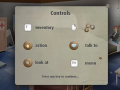
Hold the left click on any object or character, and you will see an interactive menu.
Use the right click to show the inventory, and use those objects to interact with the environment.
If you still have problems, send me an email to fsaenz@soluciones3f.com.ar and I'll try to help you :).
Thanks for the reply - I had tried that but wasn't getting the menu. Reinstalled and all was fine. Nice game - thanks again.
You're welcome! :)