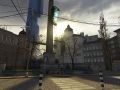
Ragnarok Arena is a sidescrolling multiplayer shooter developed on the Source Engine. Gameplay is brutal and fast paced, with realism being thrown to the side in exchange for adrenaline-fueled arcade action. Relive the joy of playing in the style of older titles like Mega Man, Contra and Metal Slug with friends in eye-popping HD, and with a new control scheme custom-tuned for a keyboard and mouse.
Dedicated to Serving all your Ragnarok Arena needs.
Alright, to get a Ragnarok Arena dedicated server running, a few steps are needed. (Thanks to Valve's HLDS update tool.)
First, you NEED to download the HLDS Update Tool from steampowered.com
First, install an Orange box game. Valve has made it easy on us, all you have to do is download "orangebox" from the command line.
NOTE: If you've never set up a dedicated server before I recommend reading this.
TO DO THIS! Install the HLDS Update tool to whatever folder you want THAT. IS. NOT. IN. PROGRAM. FILES. (I recommend C:\HLServer). Once it's installed open up a command prompt and go to the folder that you installed the tools to and type this:
This will create an "orangebox" folder and an "hl2" folder in the directory that you told it to download to.
Extract the "hlss3" folder into the "orangebox" directory where the "hl2" folder resides. You can then launch the srcds executable with the line "-game hlss3". Be sure to set up your server.cfg in the hlss3/cfg directory.
Only registered members can share their thoughts. So come on! Join the community today (totally free) and do things you never thought possible.
-game RAR? I am so stupid. It should be "-game hlss3" to have it run. Updating.