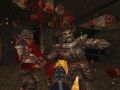
EpiQuake is a new and original sound / music PAK for quake 1. 90% of the sounds have been replaced with original high quality sound design work which have been created just for the purpose of this project. Also included is a brand new tonal electronic score adding some cinematic flare to the first person shooter. All sound design and music put together by experienced sound designer / composer Rich Douglas who has been working in the video game industry for 10 years.
This is the official release of EpiQuake. The zip file contains both the sound pk3 file and the music pk3 file. Enjoy!
This mod works best with the DarkPlaces engine! ENJOY!
Icculus.org
DARK PLACES INSTALLATION:
To install, simply place both pk3 files (EpiQuake_MusicPak.pk3 and EpiQuake_SoundPak.pk3) in your "darkplaces/Id1" folder, run DarkPlaces, and prepare your ears for an aural assault!
QUAKE via Steam or DirectQ installation (manual install)
-Open the EpiQuake_SoundPak.pk3 file using PAKSCAPE (http://www.fileplanet.com/50620/download/PakScape)
-Open the Pak0 and Pak1 files located in your steamapps/common/quake/Id1 folder (use pak explorer: http://www.leinensoft.com/bz2/pakexplorer.htm)
-Backup original Pak1 and Pak0 files!
-Open the sound folder in EpiQuake_SoundPak.pk3
-Copy all of the subsequent folders (EXCEPT for hknight and enforcer) and paste them to Pak0/sound
-It will ask if you want to overwrite... say yes to all
-Next, copy the hknight and enforcer directories from EpiQuake_SoundPak.pk3/sound
-Paste those two directories to Pak1/sound
-To add the music, simply copy the cdtracks folder from EpiQuake_MusicPak.pk3/sound to pak0/sound Now you're ready to play... enjoy!