Almost every game uses own archives to store its single files. AoK uses .drs files, inside them there are various graphics, video & sound files used by the game.
.drs files can be found inside DATA folder in your main game folder. (E.g. D:\Program Files\Microsoft Games\Age of Empires II\DATA)
What can be found inside these files?
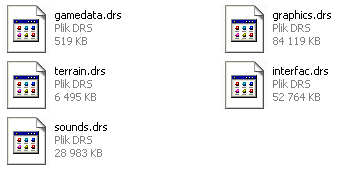
gamedata.drs AI scripts, and information on map types [.bin files]
graphics.drs pretty self-explanatory, contains every graphic files (.slp's) used in the game except for the interface graphics [.slp files]
interfac.drs contains what graphics.drs doesn't contain: interface graphic files [.bin files, .slp files, .wav files]
sounds.drs the name also explains everything [.wav files]
terrain.drs contains all terrains, in diamond shape pieces, because AoK has an isometric view (100 pieces for each terrain) [.slp files]
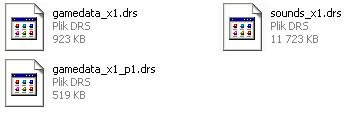
gamedata_x1.drs game data updated by the expansion pack [.bin files]
gamedata_x1_p1.drs game data updated by the patch to the expansion pack [.bin files, .slp files]
sounds_x1.drs sound data updated by the expansion pack [.wav files]
To open .drs files you'll need DRS AoK made by Ykkrosh:
Aok.heavengames.com
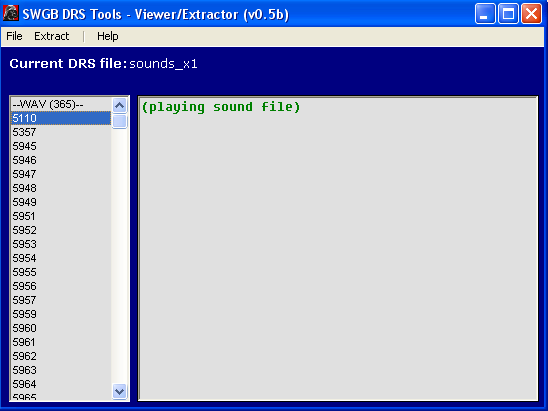
If you have a problem with the program, namely the file "comdlg32.ocx" can't be found, you need to download this file here:
1yachtua.com
Copy it to your system/system32 folder (C:/system/system32 by default), then Start -> Run dialog and type in:
REGSVR32 &#xSy;stemroot%\System32\comdlg32.ocx
to register the file.
If it can't find richtx32.ocx file, download it:
Winhelponline.com
And copy it to the above folder, too, then use the above command to register it:
REGSVR32 &#xSy;stemroot%\System32\RICHTX32.OCX






cool
This comment is currently awaiting admin approval, join now to view.
This comment is currently awaiting admin approval, join now to view.
some way to extract all files automatically from drs file? extracting one by one will take me 1 year
This comment is currently awaiting admin approval, join now to view.