M&B Battle sizer
Full Version 35 commentsfrom 1 to 1000 if you put it greater than 200 your game has change to crash - it will work on ewery version of M&B - Works whit other mods - works...
This is the M&B battle sizer it will let you to choose the size of the battles you face From 1 to 1000 It may cause game crashes if you put it higher than 200
No articles were found matching the criteria specified. We suggest you try the article list with no filter applied, to browse all available. Post article and help us achieve our mission of showcasing the best content from all developers. Join now to share your own content, we welcome creators and consumers alike and look forward to your comments.
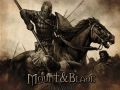
from 1 to 1000 if you put it greater than 200 your game has change to crash - it will work on ewery version of M&B - Works whit other mods - works...




![[Bully SE] mobile timecycle](https://media.moddb.com/cache/images/mods/1/45/44265/crop_120x90/12200_20191202184555_1.png)


Im kinda late but could someone make it for Linux, too?
what do you do when it says:
The option.dat file could not be located. make sure you have run M&B at least once before using this tool. If you are using a version M&B older than 0.800, make sure this program is in your Mount&Blade; directory before using it.
This program will now exit.
I get errors for the battlsize mod IM wondering how am i supposed to open it and where am i supposed to put it at and how?
This is seriously bugged and is really in need of repair!
This mod now works properly.
is it possibe to make this for warband too?
It's works for warband
does this work for other mods too? Like for example if im playing TLD (The Last Days of Middle Earth) and I want bigger cooler battle can I just DL this and change in the options later to higher battle size? :D
yes
Use fast computers for this one huns :D