
Welcome to the Arena, where high-ranking warriors are transformed into spineless mush. Abandoning every ounce of common sense and any trace of doubt, you lunge onto a stage of harrowing landscapes and veiled abysses. Your new environment rejects you with lava pits and atmospheric hazards as legions of foes surround you, testing the gut reaction that brought you here in the first place. Your new mantra: Fight or be finished.
Description
md3 import - export script for blender. Read the description for details
Preview

Post a comment
Profile
Icon

Developer
id SoftwarePublisher
ActivisionEngine
id Tech 3Contact
Send MessageHomepage
Idsoftware.comRelease date
Game watch
Follow
Purchase


Related Games
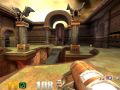
Quake III Arena
First Person Shooter
Related Engines
id Tech 3
GPL
Related Groups



Tags
that's one handy dandy script(s) file
yes, yo need Phython for this, thanks f0rqu3!
What does this let you do?
how do i install the download files and get this tool working?
Broken link...
Works for me.
This comment is currently awaiting admin approval, join now to view.
not works
Which version of Blender is this for?