Tutorial 1
Level: Easy.
Objective: in this tutorial we will make the zombie sergeant drop 4 shells instead of a shotgun when killed.
Resources required: Visual C++ , source code for doom (risen3d , doomsday or Chocolate doom).
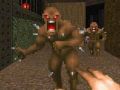
Introduction: Have you ever walked into a room full of zombie sergeants on a level and wasted the whole lot like Rambo and ended up with the floor full of shotguns? does not look very tidy , does it? especially when you are using 3D models for the weapons and the unrealistic sight you get with so many shotguns spinning through walls and into each other .What we need is something similar to the situation with the pistol and the bullet clips,just one pistol to shoot with .We will try to eliminate this problem(?) with a very simple mod.
Important: always make a backup of your game files.I am not responsible for loss or damage to your files in case of accidents ..etc.
Procedure:
1. Fire up your compiler and open the file named p_inter.c in risen3d from the solution explorer.
2. Scroll down to the end of the file to about line 1085 of the function P_KillMobj,that looks like this:
else if (target->type == MT_SHOTGUY)
{
item = MT_SHOTGUN;
droplod = dropped_lodlink[1];
}
In doomsday and chocolate doom source codes, a case statement is used instead like this (~line 800 or 754 respectively):
case MT_SHOTGUY:
item = MT_SHOTGUN;
break;
This is the segment of code responsible for selecting the item (shotgun in this case) to be dropped when the sergeant(MT_SHOTGUY) gets killed.
One simple way of doing this mod is to insert a flag, we will call it " got_shotgun ", that checks for the first kill,so that only the first kill will drop a shotgun that you may need to start playing,and all subsequent kills whether by you or by the monsters will drop 4 shells only ,hence reducing the clutter.
3.Now to make your mod, change the code to this, in risen3d:
else if (target->type == MT_SHOTGUY)
{
if (got_shotgun)
{
item = MT_MISC22;
droplod = dropped_lodlink[1];
}
else
item = MT_SHOTGUN;
got_shotgun = true;
}
and in doomsday or choc doom code,like this:
case MT_SHOTGUY:
if (got_shotgun)
item=MT_MISC22;
else
item = MT_SHOTGUN;
got_shotgun = true;
break;
MT_SHOTGUN is the code to select the shotgun object or MapThing ,MT_MISC22 is the code for the "4 shells" object.The if statement checks our flag for true or false. Note that we must set the flag to true every time after getting the shotgun,this forces the function in next kill to drop 4 shells.
4.Our work is not finished yet.We need to initialize our flag to "false" to start with.For this, go to the top of the same file and add the following:
boolean got_shotgun = false;
5.Now build,then copy your freshly compiled exe (for risen3d)or dll file (if using doomsday) to the doom game folder,overwrite and test run the mod,go kill your first sergeant, he will drop a shotgun,any further kills will drop 4 shells only.
6.We are not out of the woods yet.Without quitting,now press esc key and start a new game ,start shooting ,now you cannot get a shotgun to drop from your first kill....why not? We simply need here to reset or re-initialize our flag to "false" every time we start over a new game.To do this open the source file "g_game.c" and go to the function G_InitNew,this is the function for initializing a new game.Add the line in red at the bottom of this function as shown in the segment of code below:
flying = 0;
usergame = true;
paused = false;
automap_active = false;
gameepisode = episode;
gamemap = map;
gameskill = skill;
got_shotgun = false;
G_DoLoadLevel();
7.To make our flag visible in both files, add the following line of code somewhere at the top of the header file named p_local.h like this:
boolean got_shotgun;
Do not forget to delete the same line we added in 4 above, it is no longer needed ,it will also interfere with the execution.
8.Save your work, build your dll or exe and run. Now you get a shotgun with your first kill when you start a new game in all cases.
Important note for newbies:
One of the biggest hurdles that may face beginners when attempting a source code mod is to be able to compile the source code successfully and produce a working exe file.Once you are able to do that,then the rest should be easy.For help on this,I suggest you visit one of the doom engine source port development websites ,they will show you a step by step procedure on how to compile the source code for their port and also what important resources you need to download for this to work. If on the other hand you find messing with C and compilers is not your thing, you can still make some special effects for your maps and mods using an alternative way that is both simple and effective: definitions file editing.Hopefully I will be covering that subject in future tutorials,please bear with me!
Happy modding.
Adam.


I do not know if anyone will read this but I use Zdoom for my DooM sessions. How can I edit Zdoom code?